Saturn B – Chapter 2. Operation 2.17
General
The Saturn B user program is accessible from two different levels:
•USER LEVEL (1) – the basic level set automatically at power up.
•OPERATOR LEVEL (2) – the advanced level which provides
access to all functions.
Operator level functions are marked with a star: *
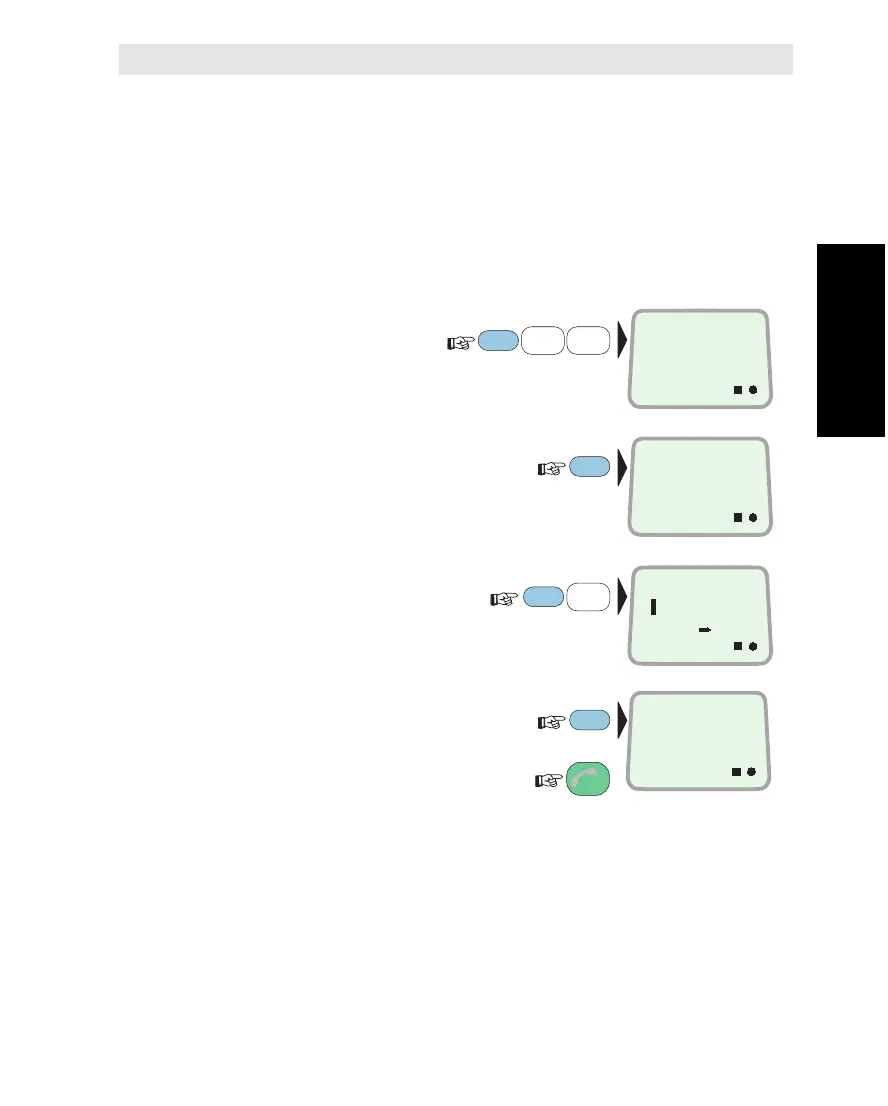
To change e.g. from USER to OPERATOR level:
1Select SET USER
LEVEL function (12):
2Display the current level:
3
Key in operator level ref. number:
1=USER, 2=OPERATOR
4Saturn B is now set
to OPERATOR LEVEL:
Revert when finished:
To set to USER LEVEL, repeat above steps
now keying in ref. number 1.
The functions accessible for the two levels are given
in appendix E. See also table 2.1.
Setting User Level
ON
SET USER
LEVEL
12
ON
LEVEL:
OPERATOR
ENTER
FUNC
ON
LEVEL:
USER
1
ABC
2
DEF
PLAY
ESC
3x
ENTER
ON
LEVEL:
?
ENTER
2
DEF
PLAY
Setting User Level



 To Next Page