Saturn B – Chapter 3. Configuration 3.1
General
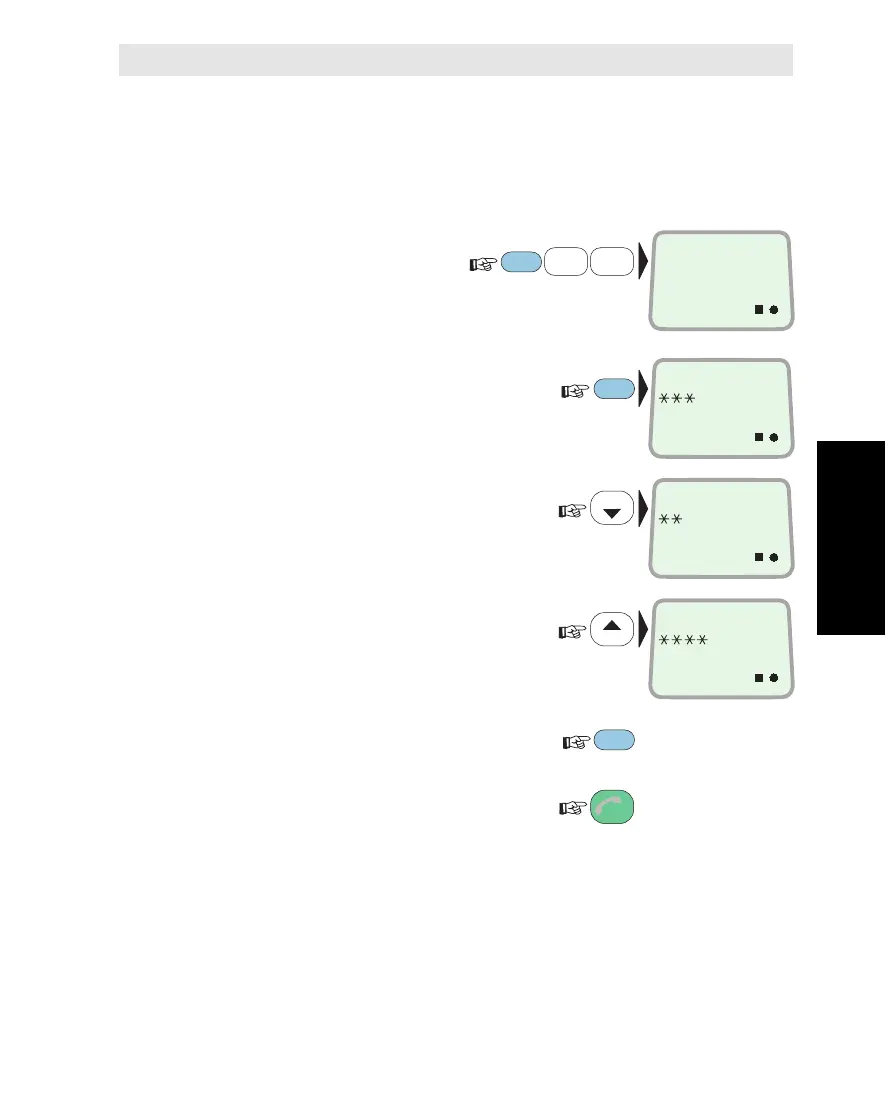
The contrast in the LCD display may be adjusted using function
no. 51.
Procedure
1 Select CONTRAST
ADJUST function (51):
2
Press ENTER to
display the present contrast level:
3 Reduce the contrast:
or
increase the contrast:
4 Observe change in display contrast
and press ENTER when suitable:
Revert when finished:
Setting Display Contrast
1
ABC
5
MNO
LIST
LIST
ESC
FUNC
ON
CONTRAST
ADJUST
51
ON
CONTRAST:
ON
CONTRAST:
ON
CONTRAST:
2x
ENTER
ENTER
Setting Display Contrast *
Chapter 3. Configuration



 To Next Page