12
Nera WorldCommunicator
GETTING STARTED
Internal battery
The battery indicator
on the display indi-
cates the charge level:
The amount of shading represents the current
charge level.
A completely shaded indicator indicates a fully
charged battery.
A flashing battery indicator indicates that the battery
level is low.
Avoid exposing the
WorldCommunicator to
extreme heat or cold.
Very high or low
temperatures reduce
the battery capacity.
Charging
The battery is charged
via the external power
even when the Modem
Unit is turned off.
A new battery should
be charged for 4.5
hours the first time.
The battery should not
be charged at tempera-
tures lower than 0°C.
Nera does not guarantee that the WorldCommunicator
will work with a battery not approved by Nera/Nera
agent.
See also "BATTERY HANDLING".
External power
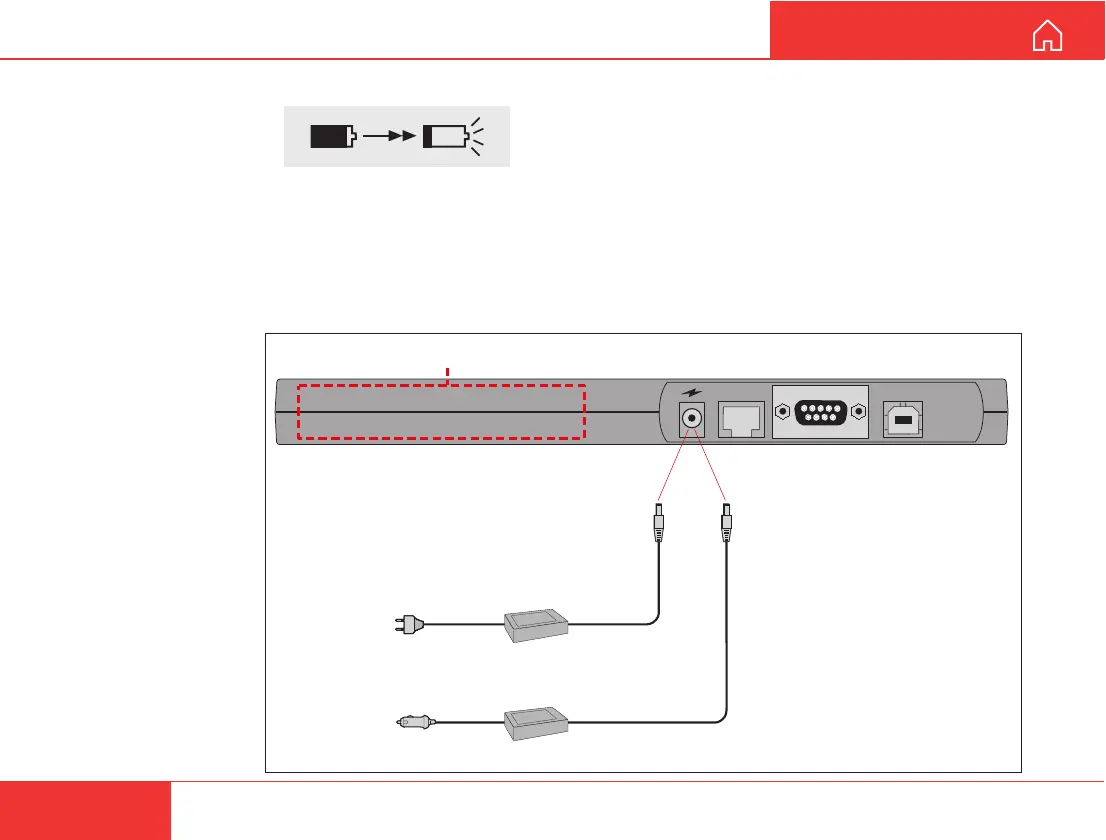
The Nera WorldCommunicator may be connected to
an AC source using an AC/DC Adapter, or to DC
using the optional DC/DC converter. The types of
adapters to be used are specified below.
EQUIPMENT DESCRIPTION CONT’D
USB
RS-232
ISDN
Internal power: Lithium-Ion rechargeable battery pack (Nera part no. 101553)
100 - 240 VAC
47 - 63 Hz
10 - 32 VDC
External power/charging
*
AC Adapter
19 V DC
**
DC/DC converter
19 V DC
*
The following AC adapter
must be used only:
Powerbox type SPN-460-19
(Nera part no. 101659)
**
The following DC/DC converter
must be used only:
SMPowertypeSMP119,19V,60W
(Nera part no. 101940)



 To Next Page