27
Nera WorldCommunicator
GETTING STARTED
Selecting default Net service provider
Make sure that the correct default Inmarsat Net
service provider has been entered.
When using a SIM card, the WorldCommunicator will
automatically be programmed for all Ocean Regions.
The default Net service provider for a satellite (Ocean
Region) is automatically used if the user does not
select another one when making a call.
A default Net service provider must be programmed
the first time an Ocean Region is entered.
Default Net service providers for all Ocean Regions
can be preprogrammed from a PC connected to the
WorldCommunicator. See User Guide.
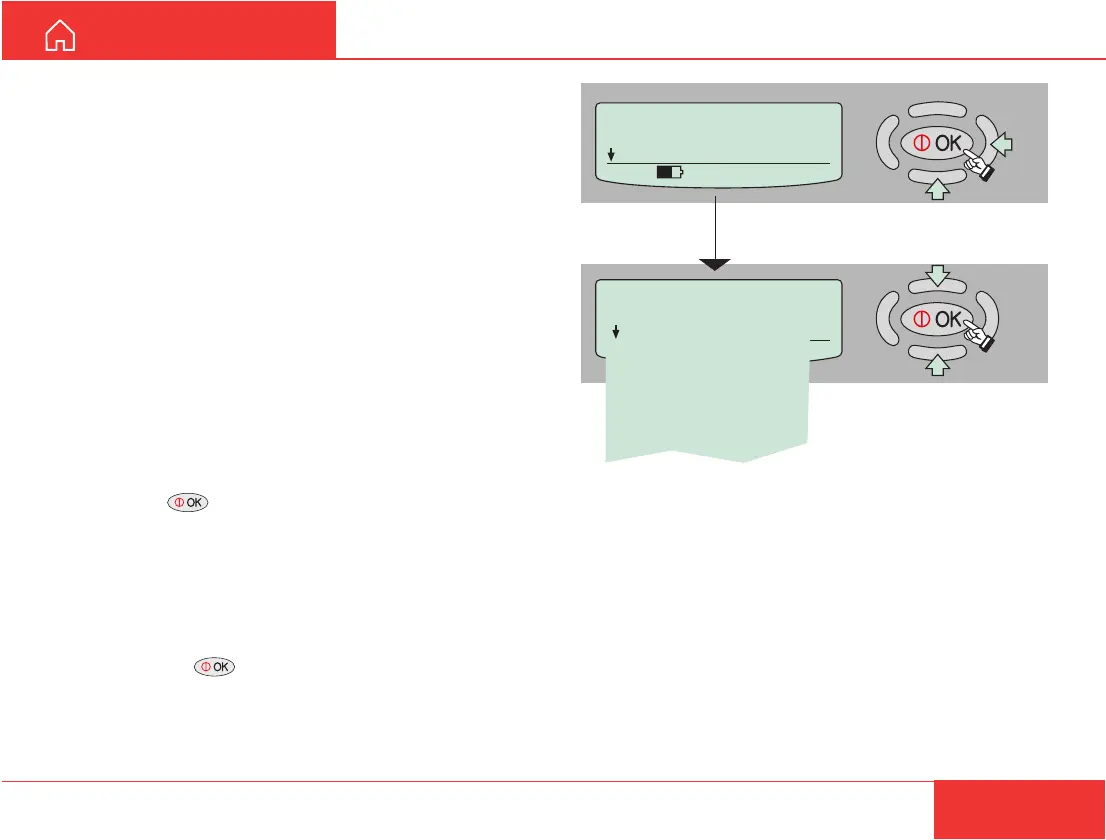
Use the Modem Unit display when programming the
current satellite region:
1 Press to enter the MENU, and scroll down to
Set Default Net.
2 Pressing “right arrow” opens the list of selectable
default Net service providers.
3 Scroll up/down to wanted Net service provider.
4 Pressing enters the chosen Net service
provider.
Set Default Net.
> Telenor
Stratos
KDD
Telenor
OTE
Korea Telecom
Hai Phong
France Telecom
MENU
> Set Default Net.
Configure DTE
535 09:46
Examples
SETTING UP CONT’D
Note!
Two Telenor providers are listed in the display. Make
sure to select the one you are commissioned to.
- the first: Telenor with Comsat
- the second: Telenor in Norway



 To Next Page