14
Nera WorldCommunicator
GETTING STARTED
Satellite search
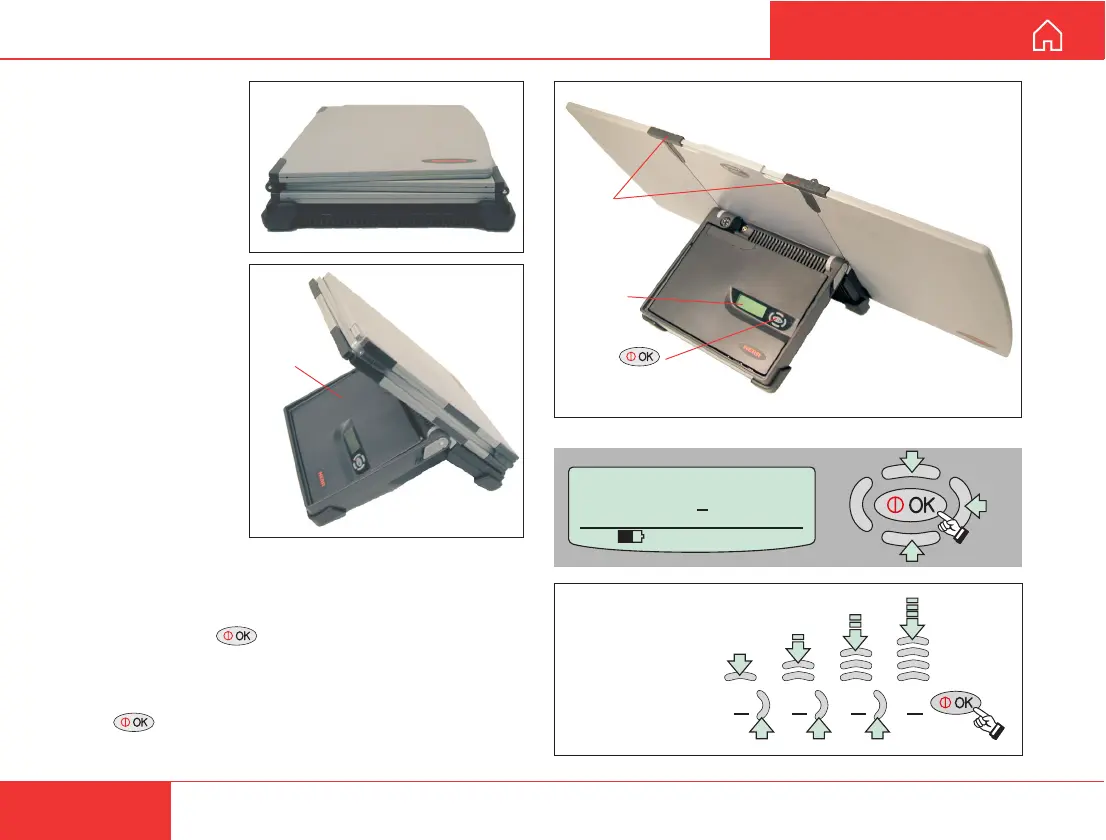
1 Open the
WorldCommunicator
by swinging down
the Modem Unit.
2 Unfold the antenna.
If necessary, slide storm locks into place.
3 Press and hold for 2 secs.
4 Enter Phone PIN code: use “arrow” buttons to
change digit and step to next position.
Press when ready.
Factory default PIN code = 1234
SETTING UP
Modem
Unit
Storm
locks
Display
ON/OFF
button
Left panel
Right panel
NB! Fold left panel first
when closing antenna
WorldCommunicator
Phone PIN :
0
535 09:46
1 2 3 4
Example,
PIN no.: 1234



 To Next Page