34
Nera WorldCommunicator
GETTING STARTED
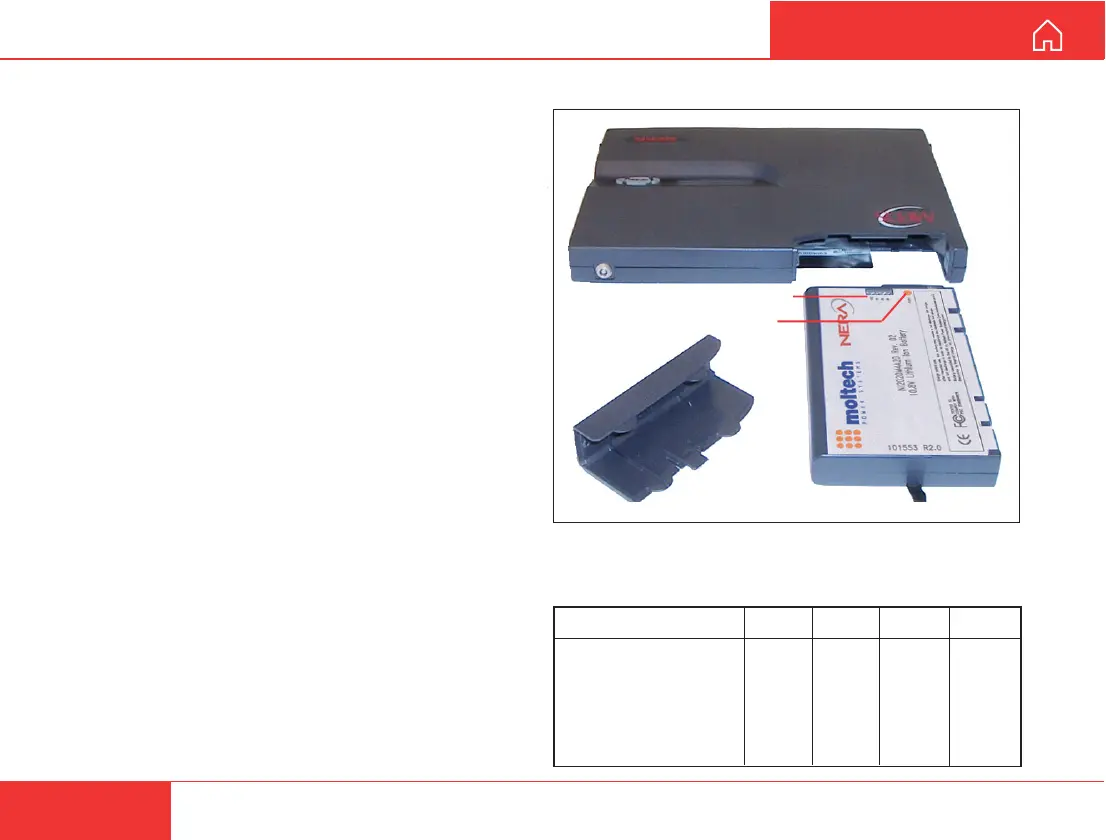
Battery state indicators
Four green indicators show the charge level.
When pressing the charge check button for 2 sec-
onds, 1 - 4 indicators will light accordingly:
BATTERY HANDLING
General
•
When used for the first time, charge the battery for
4.5 hours (battery indicator full), then operate the
equipment until the battery is discharged, see also
"EQUIPMENT DESCRIPTION > Internal battery".
• Standby time: approx. 50 hours
• Talk time at 4.8 kbps speech: 4.5 - 9 hours
(depending on coverage signal and number of
devices connected).
• Talk time for 64 kbps voice: 3 - 6 hours.
Transmission time for other services: 1.5 - 3 hours.
• Operating temperature: -25 to +55°C.
• Storage temperature: approx. -50° to +80°C.
• Charge time: approx. 4.5 hours.
• Lowest charge temperature: 0°C.
• A full discharge/charge cycle is recommended
once every 60 days.
• Capacity degradation: 50% loss after 500 dis-
charge/charge cycles.
• Weight: approx. 0.45 kg
• The WorldCommunicator will only accept a battery
approved by Nera. Contact your Nera agent for a
list of approved batteries.
How to conserve battery capacity
• Disable DECT when not in use, see previous page.
• Turn off display light, see User Guide.
• Check for good satellite connection.
• Use 4.8 kbps speech service instead of 64 kbps.
Rel state of charge Ind 4 Ind 3 Ind 2 Ind 1
100 - 76%
ON ON ON ON
75 - 51% OFF ON ON ON
50 - 26% OFF OFF ON ON
25 - 11% OFF OFF OFF ON
10 - 0% OFF OFF OFF BLINKS
Shut down OFF OFF OFF OFF
Battery state indication
Charge check button



 To Next Page