19
Nera WorldCommunicator
GETTING STARTED
ISDN
> Speech
64k Speech
64k Audio
56k Data (V110)
64k Data (UDI)
MENU
> Device Manager
Configure DTE
535 09:46
SETTING UP CONT’D
Device Manager
> Add Device
Remove Device
535 09:46
Device Manager
> ISDN
DECT
USB
COM
Owner's password:
123456789
0
535 09:46
Adding ISDN phones for 4.8 kbps speech service
(example)
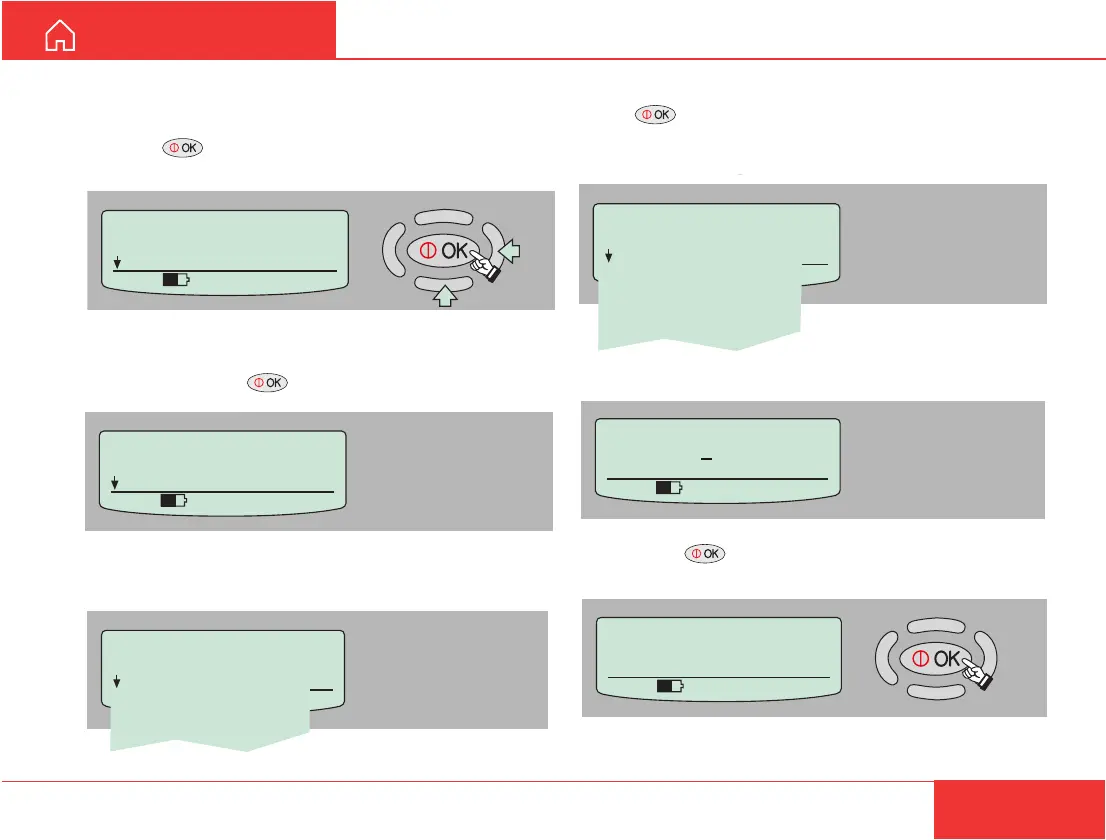
1 Press on the WorldCommunicator Modem
Unit to open the MENU:
2 In the Device Manager menu, scroll down to Add
Device and press .
3 Scroll down to ISDN and press
4 Scroll down to the required service and
press .
Note! Make sure that the service is registered with
your service provider.
5 Enter the owner password (1........90).
6 Pressing adds the new service automatically
with the appropriate Id and MSN number.
7 Programme MSN no.21 into the connected ISDN
telephone.
New ISDN Added
Service: Speech
Id=02 MSN=21
535 09:46



 To Next Page