16
Nera WorldCommunicator
GETTING STARTED
8 Pressing initializes the system with the
displayed satellite.
9 See “Selecting default Net service provider” to
choose the correct Net service provider.
When using a SIM card, the Net service provider will
be selected automatically.
Note! If no spot beam is found from the current
satellite, try another Ocean Region.
Unknown net
AOR-W
Ready for call
535 09:46
Display light adjustment (when in idle)
Press to increase contrast:
Press to reduce contrast:
Warning!
Avoid adjusting the contrast
to extreme black or white.
SETTING UP CONT’D
With clear view to the satellite, the antenna may be
operated from the inside of some types of windows,
but should preferably be located outside.
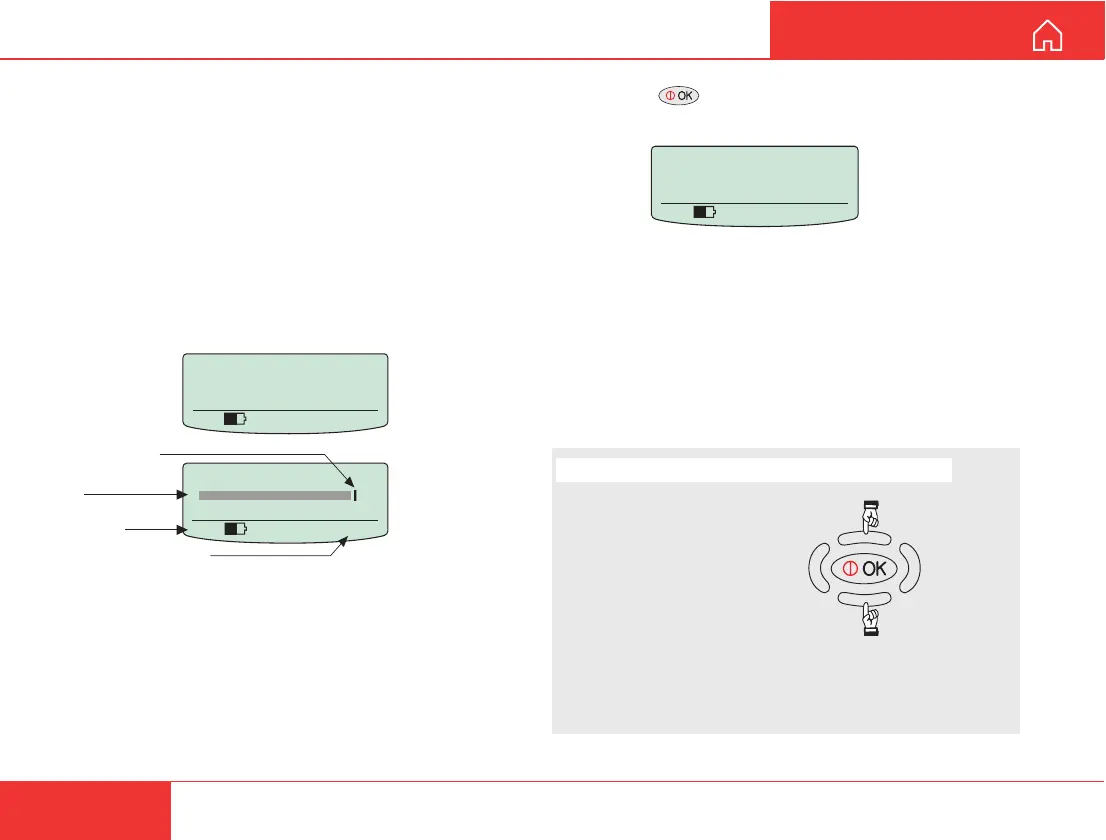
A shaded signal strength bar will appear in the
display. When closing in on the satellite, turning the
antenna horizontally and adjust its vertical angle, the
bar increases in length. The longer the signal bar or
higher the signal strength indicator value, the better
the signal quality.
The maximum marker indicates the highest signal
strength achieved during the current search.
Lock the vertical angle (elevation) of the antenna
with the antenna angle locks.
Note! It is recommended that the signal strength
reading (S/N=Signal/Noise ratio) should be at least
535. However, 4.8 kbps speech also works at 420.
Use AOR-W ?
535 09:46
Searching
All regions
535 09:46
Maximum achieved
signal strength
Signal strength
bar
Signal strength
indication
Time in hours:seconds



 To Next Page