NESS D16 (V4.5) CONTROL PANEL - USER MANUAL
20
PROGRAMMING
EXAMPLES The panel must be in program mode. (Program light ON).
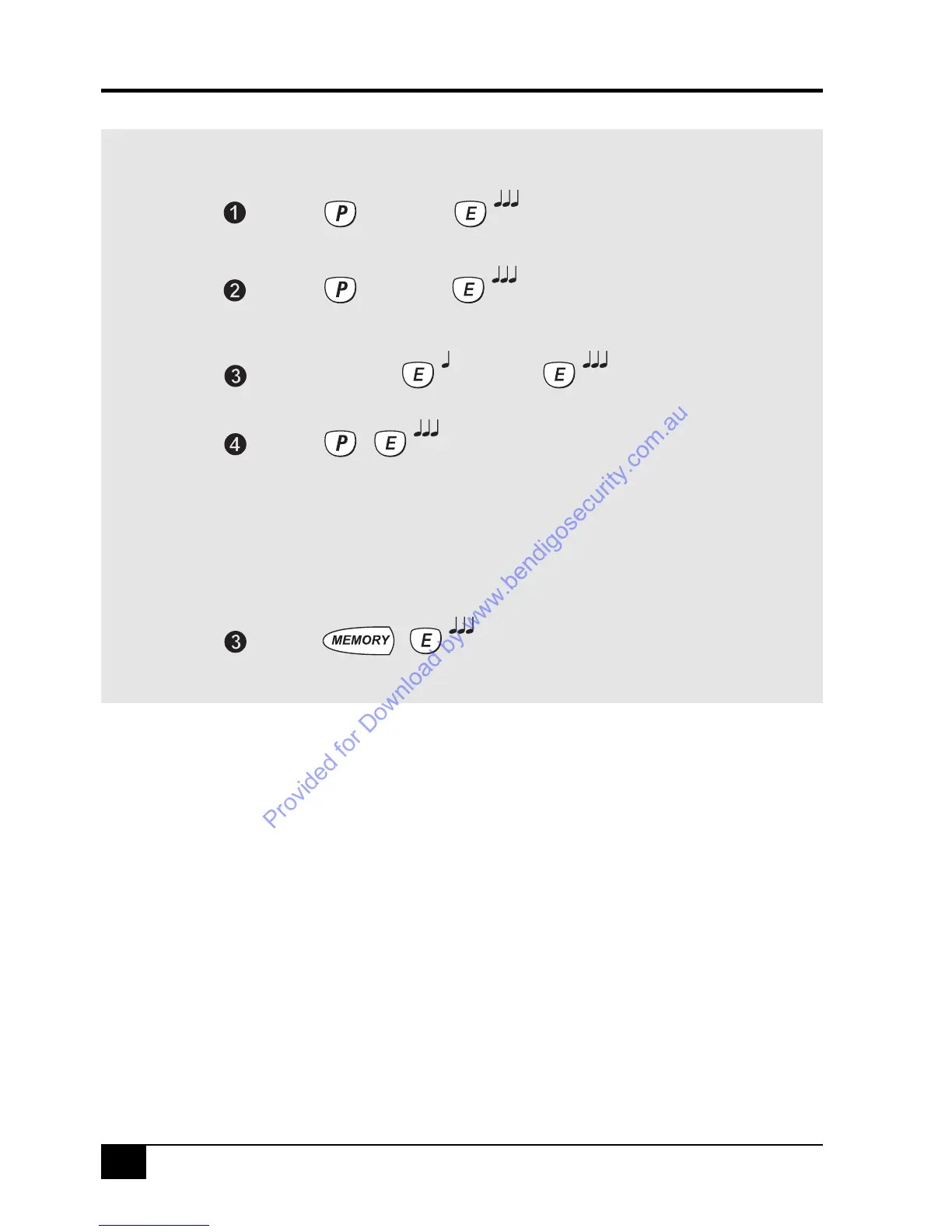
• To program User Code 1 to be 1234: P11E 1234 E 1234 E
• To program User Code 2 to be 5678 and as an ARM ONLY code : P12E ARM E 5678 E 5678 E
When an Arm Only code is displayed, the ARM icon is displayed before the digits of the code
• To delete User Code 2: P12E MEMORY E
USER CODE PROGRAMMING RULES:
• All codes can be 3, 4, 5 or 6 digits long.
• Codes beginning with 0 (zero) can be programmed but they will not operate the panel. This is an alternative
method for disabling user codes, however the MEMORY E function is recommended for deleting user codes.
• Codes are rejected if already used. Some codes that are similar to existing codes may also be rejected.
• The Master Code, (User Code 1), cannot be an ARM ONLY code.
• The Master Code must always be programmed, all other codes are optional.
Programming USER CODES
* For a list of programming option numbers, see the Programming Options Table on page 19.
Enters Program Mode. The PROGRAM light will be on.
The existing code (if any) will be displayed.
The two digit option number for the code to be programmed.
To exit Program Mode
The existing code has now been erased.
Enter the new code twice. The new code will be displayed.
[Master Code]
[Option No.]*
[NEW CODE] [NEW CODE]
Press...
Press...
Press...
Press...
Press...
Deleting USER CODES
At Step 3, enter MEMORY E, instead of a new code.



 To Next Page