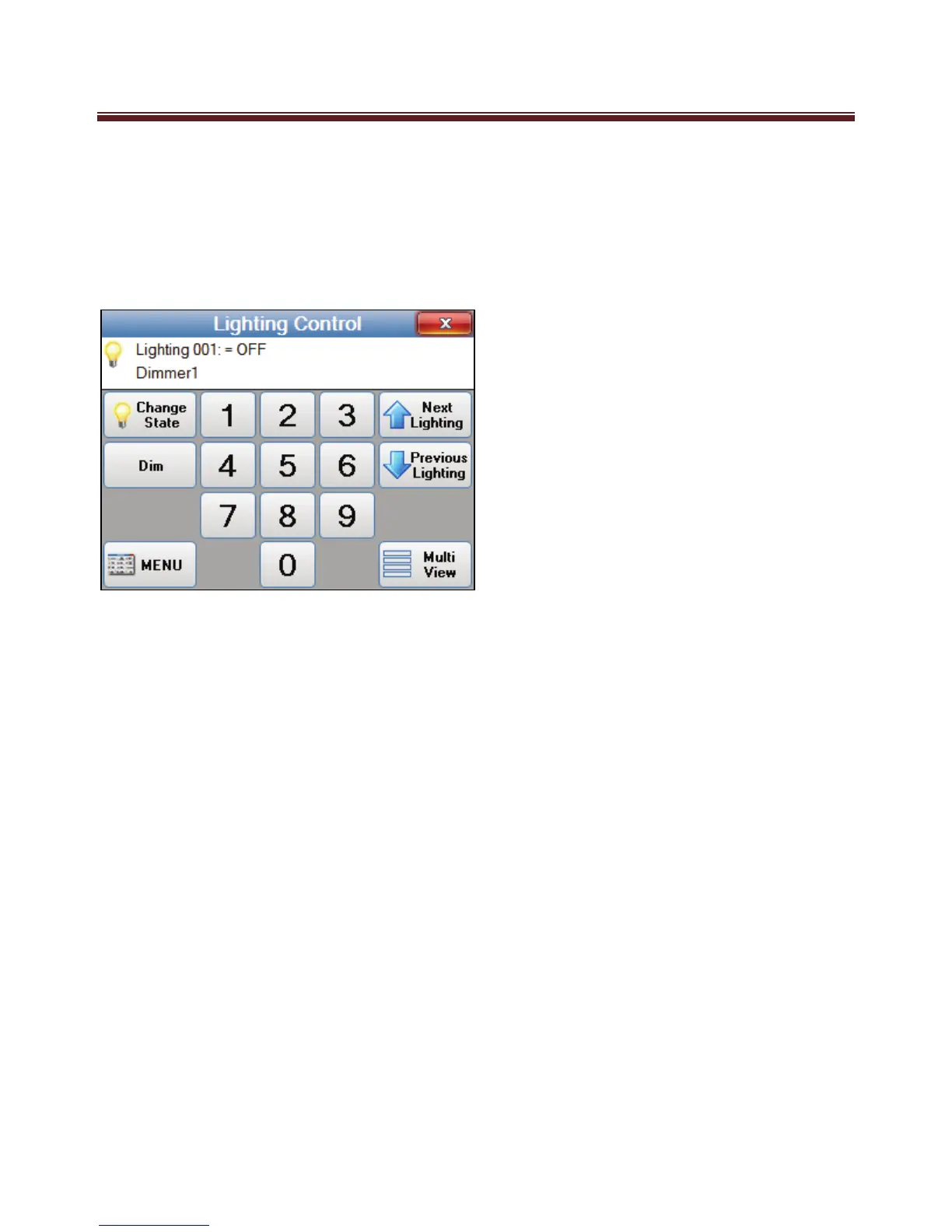
Lighting Control Single View
The Lighting Control Single View screen will be display when the Single View button is
pressed on the Lighting Control screen.
In “Single View” mode, the lighting number can be selected with the numeric buttons.
Next Lighting and Previous Lighting buttons will move through lighting items that
programmed with show enabled.
The Lighting state can be toggled with the Change State button. ie Turn lighting ON or
OFF.
If the Light is dimmable then a Dim button will be displayed. Press the Dim button will
display the Lighting Control Dim screen.
Pressing the Menu button will display the Automation Menu screen.
Pressing the Multi view button with display the Light Control screen with four lighting
items at once.


 To Next Page