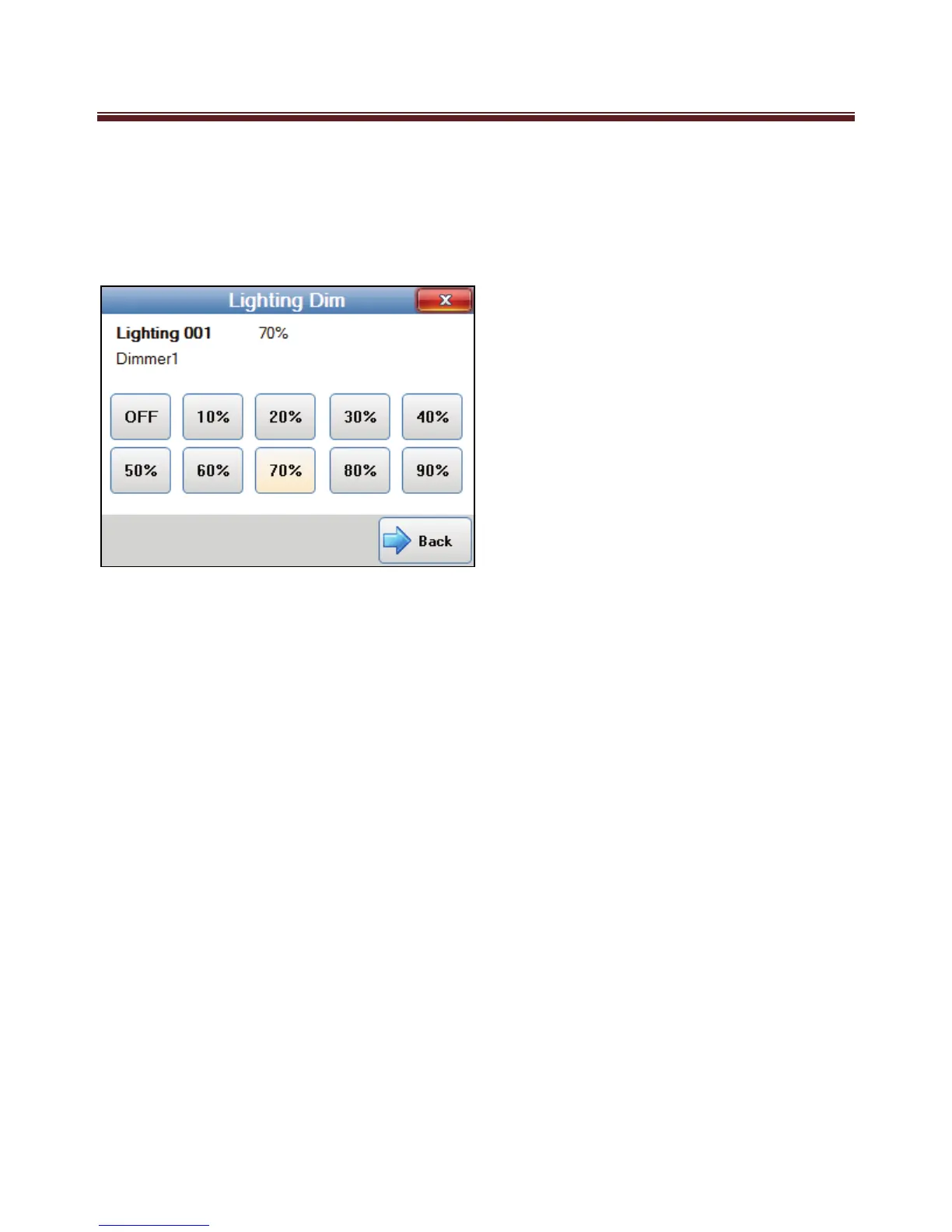
Lighting Dim
The Lighting Dim screen is displayed when Dim is pressed on one of the Lighting control
screen.
The lighting number, lighting name and current dim level is displayed at the top of the
screen.
The lighting dim level is changed by pressing one of the lighting dim value buttons. The
button corresponding to the current dim value will be highlighted.
To return to the lighting control screen press the Back button.
To exit back to the main screen, press the red close button on the top right of the screen.


 To Next Page