99
Printing an image
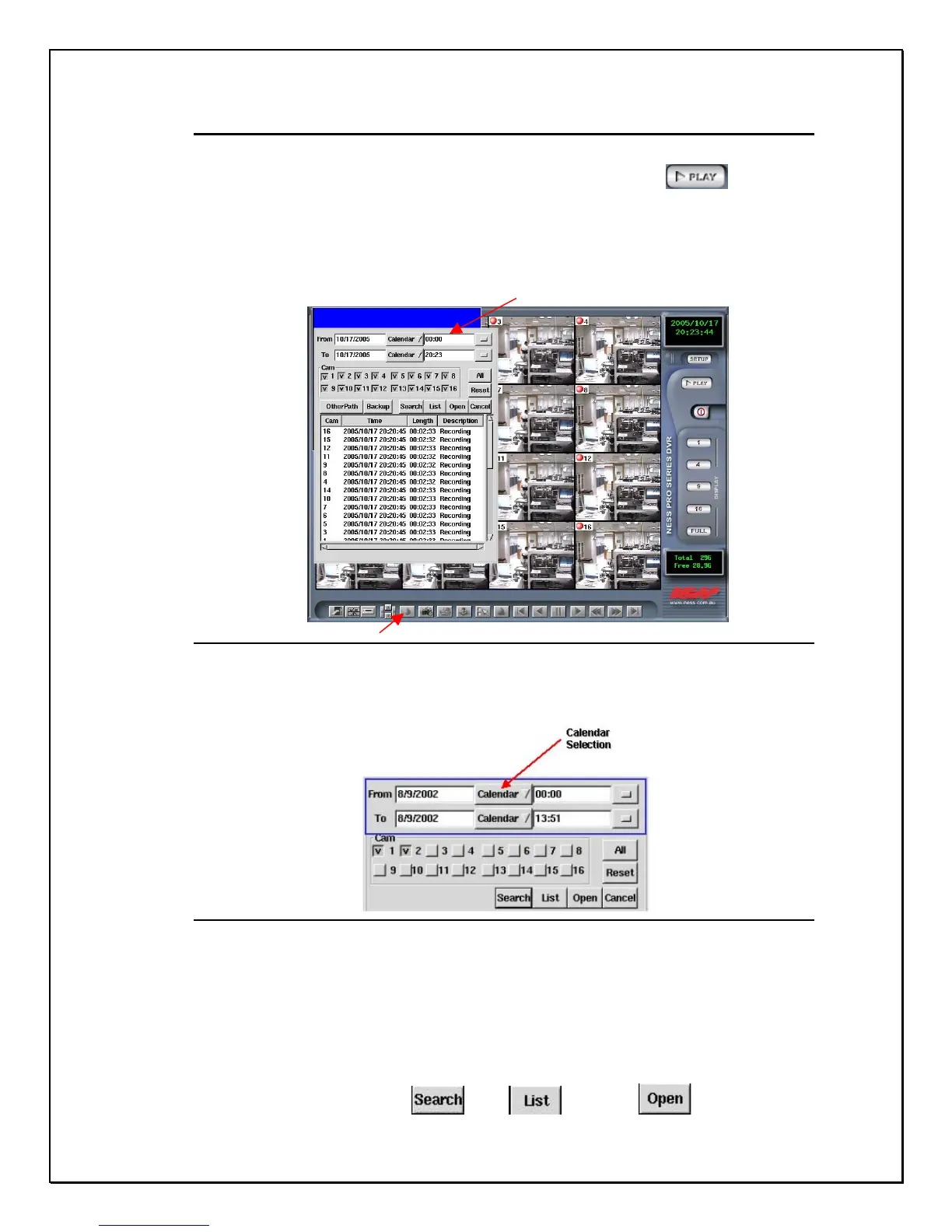
1. Click the Playback” icon………………………………
A pop-up database will appear giving you the choice of selecting a file, selecting the
date, searching, or by checking the list. At the bottom of the screen you will notice a
set of icons. These icons will help later when using the playback image.
Pop-up Database
Bottom Toolbar
Figure 14-4: The Playback Screen
2. Select a date and time from the calendar
Figure 14-5: Calendar & Camera Selection
3. Select a camera
4. Click Search , List , or Open



 To Next Page