Chapter 1
First steps
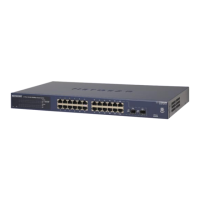
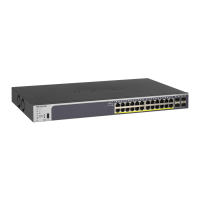
This document is not a definative User Guide for the Netgear GS724Tv4 smart switch. It grow out of
the observed lack of a User Guide as opposed to a number of good Reference Manuals. Those manuals
showed how to perform operations on the switch but not the reason why they could be performed. The
why is approached here by posing a problem, or an example situation, and then configuring the switch
to provide a solution. Further detail of the how can be obtained from a Reference Manual.
The application examples used have resulted from need. As the need to know more has grown so too
this User Guide has evolved. This evolution is expected to continue resulting also in this document
evolving. The examples are set up to show the switch setting used and the consequence of such setting
on the behaviour of the network containing the switch. Not having knowledge of the consequence of a
setting can make an appropriate switch selection setting time consuming.
Emphasis is placed on the GS724Tv4 switch as a network element. Testing of the network resulting from
each switch setting is described together briefly with how the switch can be configured to produce such
a setting. Further detail of the mechanics of performing setting of this switch is contained in the switch’s
manual.
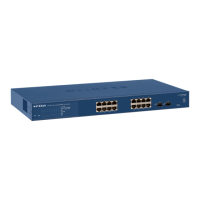
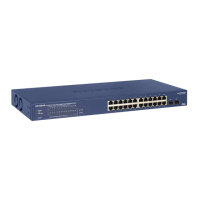
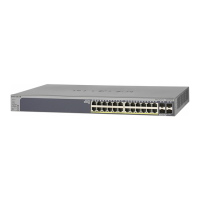
The majority of the information contained here should also apply to the GS716Tv3 smart switch, and
maybe the GS748T5, although this has not been verified.
The reader is assumed to have access to the Netgear GS716Tv3, GS724Tv4, and GS748Tv5 Smart
Switches Sofware Adminstration Manual available from www.downloads.netgear.com/files/
GDC/GS716TV3/GS716Tv3_GS724Tv4_GS748Tv5_SWA_25Sept2013.pdf for information to sup-
pliment that given here.
1.1 Necessary networking background
The Open Systems Interconnection (OSI) model is a means of describing networks. That description
is divided into 7 layers: physical, data link, network, transport, session, presentation, and application.
The physical layer is layer 1, the application layer is layer 7, and the others are consecutively ordered
between.
For a device to take part in a network it must have an address on that network. This is its physical
address and is considered part of layer 2 of the OSI model. This address is 6 bytes, or 48 bits, or 12 hex
digits, in length. It is known as the Media Access Control, or MAC, address. Each network device in the
world has at least one MAC address and that MAC address is unique no matter whether the device is a
hardwired or wireless network component.
Ethernet and WiFi operate at layer 2. Each uses MAC addressing, only.
1



 To Next Page
 Loading...