Specify Network Settings
34
AC750 Wireless Dual Band Gigabit Router R6050
WARNING:
DMZ servers pose a security risk. A computer designated as the
default DMZ server loses much of the protection of the firewall and
is exposed to exploits from the Internet. If compromised, the DMZ
server computer can be used to attack other computers on your
network.
The router detects and discards incoming traf
fic from the Internet that is not a response to
one of your local computers or a service that you have configured in the Port Forwarding/Port
Triggering screen. Instead of discarding this traffic, you can have the router forward the traffic
to one computer on your network. This computer is called the default DMZ server.
To set up a default DMZ server:
1. Launch a web browser from a computer or WiFi device that is connected to the network.
2. Enter http://www
.routerlogin.net or http://www.routerlogin.com.
A login screen displays.
3. Enter the router user name and password.
The user name is admin.
The default password is password. The user name and
password are case-sensitive.
The BASIC Home screen displays.
4. Select ADV
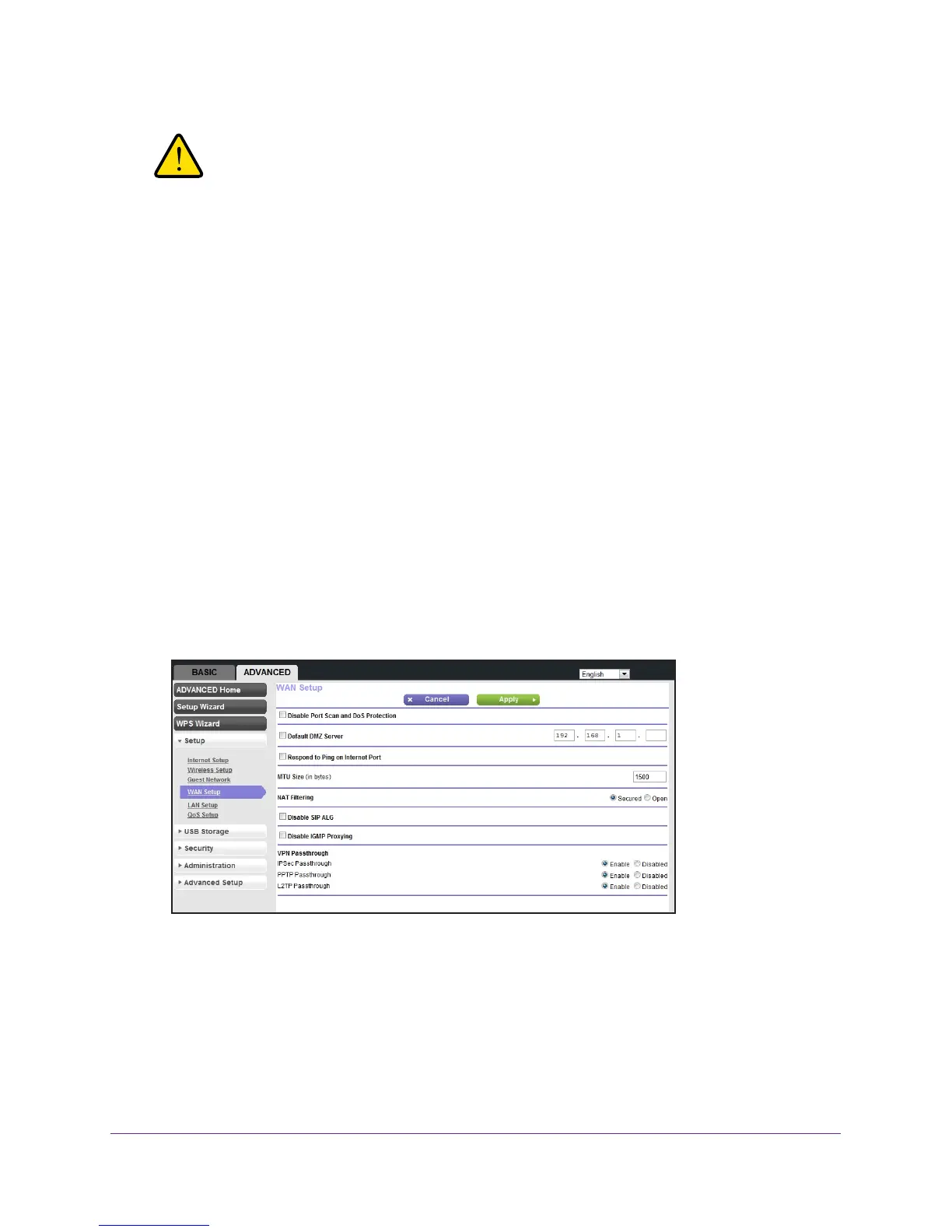
ANCED > Setup > WAN Setup.
5. Select the Default DMZ Server check box.
6. T
ype the IP address.
7. Click the Apply button.
Your settings are saved.

 To Next Page
 Loading...