Optimize Performance
60
AC750 Wireless Dual Band Gigabit Router R6050
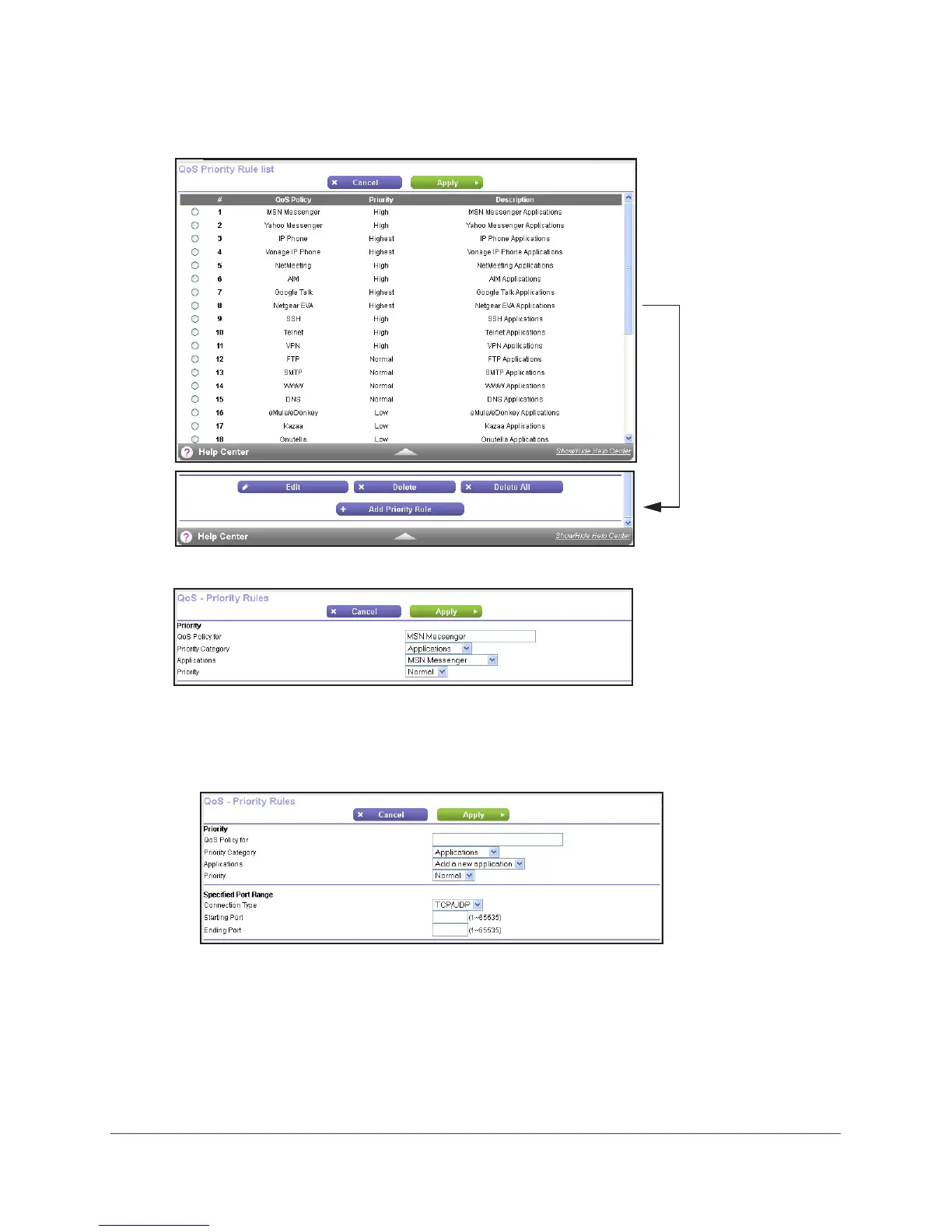
5. Click the Set Up QoS Rule button.
Scroll down
6. Click the Add Priority Rule button.
7. In the QoS Policy for field, type a descriptive name for the new application or game.
8. In the Priority Category list, select either Applications or Online Gaming:
• Applications. The Applications list lets you select existing applications, but scroll
down to the bottom to select Add a new application.

 To Next Page
 Loading...