Testing & Saving a Neural Capture
Once the Capture is completed, you can A/B compare the Capture and the target device.
• • •
Neural Capture Testing
A/B SWITCHING
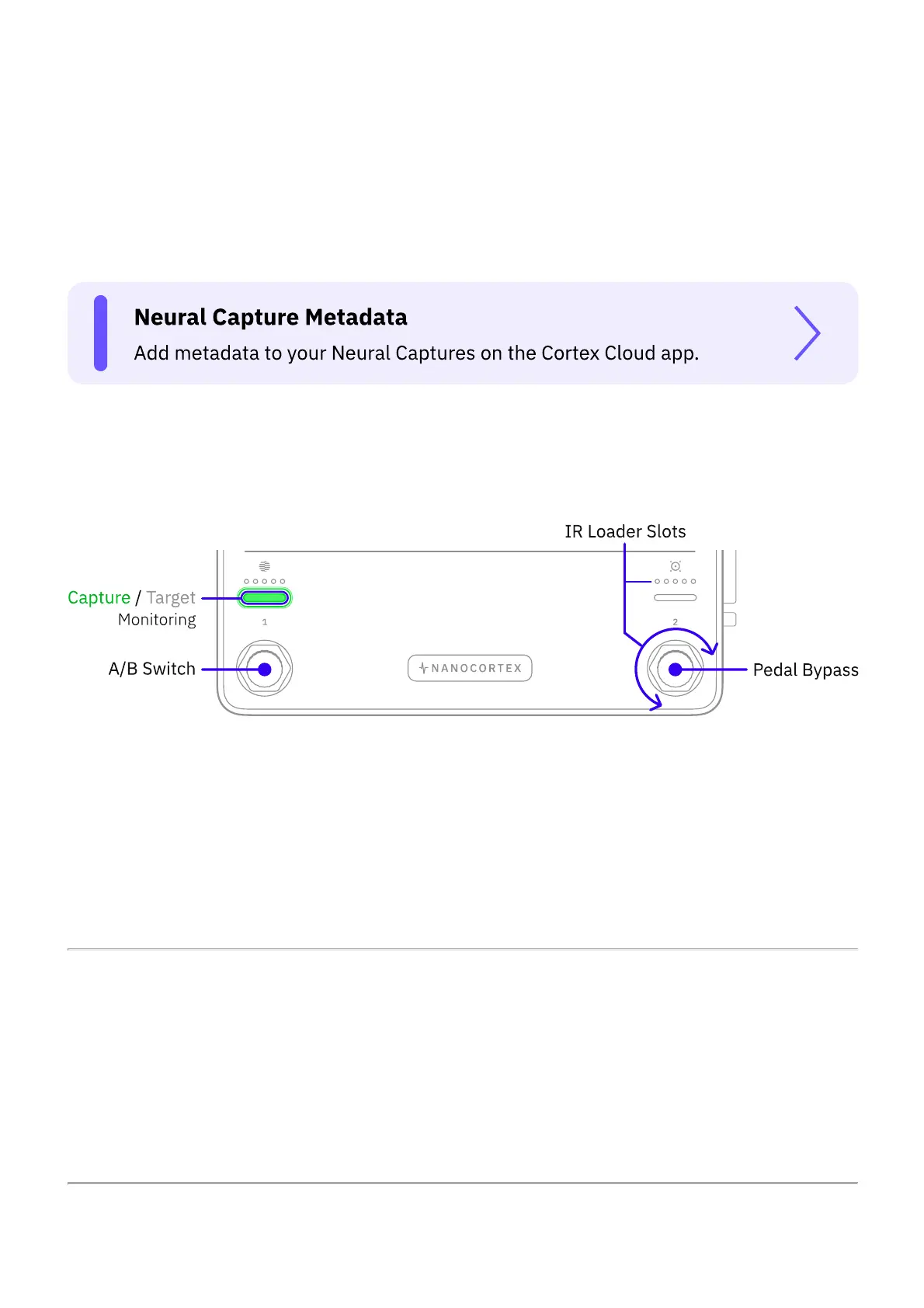
Press Footswitch I to toggle between the Neural Capture and the Target Device.
Footswitch I’s LED bar turns green indicating that you are playing through the recently created
Neural Capture. Footswitch I’s LED bar turns off indicating that you are playing through the
target device.
IR LOADER
When auditioning a recently created Neural Capture, turn Footswitch II clockwise or
counterclockwise to navigate IR slots. The LEDs will light up according to the slot selected.
Navigate to the last position, where the LEDs are not lit, to bypass the IR Loader
(Recommended when auditioning a Capture that includes a speaker cabinet).
PEDAL BYPASS



 To Next Page