STEP 2 – Calibrate the unit
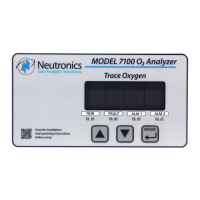
All units are calibrated at the Neutronics factory before shipping. However, it is recommended that the
Model 7100E be calibrated at commissioning, under ambient and process conditions similar to those
encountered while in-service. Refer to section 3.2.1 for detailed analyzer calibration instructions.
The Model 7100E is configured-to-order, as specified by the user per the application. If the application
has changed, some adjustments in the system configuration may be necessary to optimize the Model
7100E performance for the application. After reviewing the calibration instructions, review Appendix C –
Factory Configuration Settings. Verify that the current settings are suitable for the application. Refer to
Appendices E and F for all valid range and output settings available on the Model 7100E. If any changes
are necessary, they can be performed via the control panel (section 4.1.1) or the service port (section
4.1.2).
STEP 3 –Set Alarm-1 and Alarm-2
After the unit has been calibrated on known gas sources, set the alarm thresholds according to process
control requirements. Refer to Appendix C for factory settings.
3.2.3.1 Set Alarm-1
For process control applications, Alarm-1 is used normally as the “primary” oxygen-level alarm. It is set to
the highest or lowest level of oxygen allowable in your process, according to the application. Refer to
section 3.2.2 for information about changing the Alarm-1 level.
3.2.3.2 Set Alarm-2
For process control applications, Alarm-2 is used normally as the “secondary”, or “warning” oxygen-level
alarm. It is set just below the highest or just above the lowest level of oxygen allowable in your process,
according to the application. Refer to section 3.2.3 for information about changing the Alarm-2 level.
The Model 7100E should now be ready for commissioning. Neutronics offers commissioning and factory
acceptance testing services. You may contact the Neutronics factory toll-free at (800) 278-2287 in the
continental United States. Elsewhere, call (610) 524-8800) and ask a Neutronics Service Technician to
schedule a service call.


 To Next Page