27
PC Audio Device Driver 1
Download the AMS Neve USB Audio Device Driver from www.AMS-
Neve.com >1073OPXproductpage >supporting documentation for your PC,
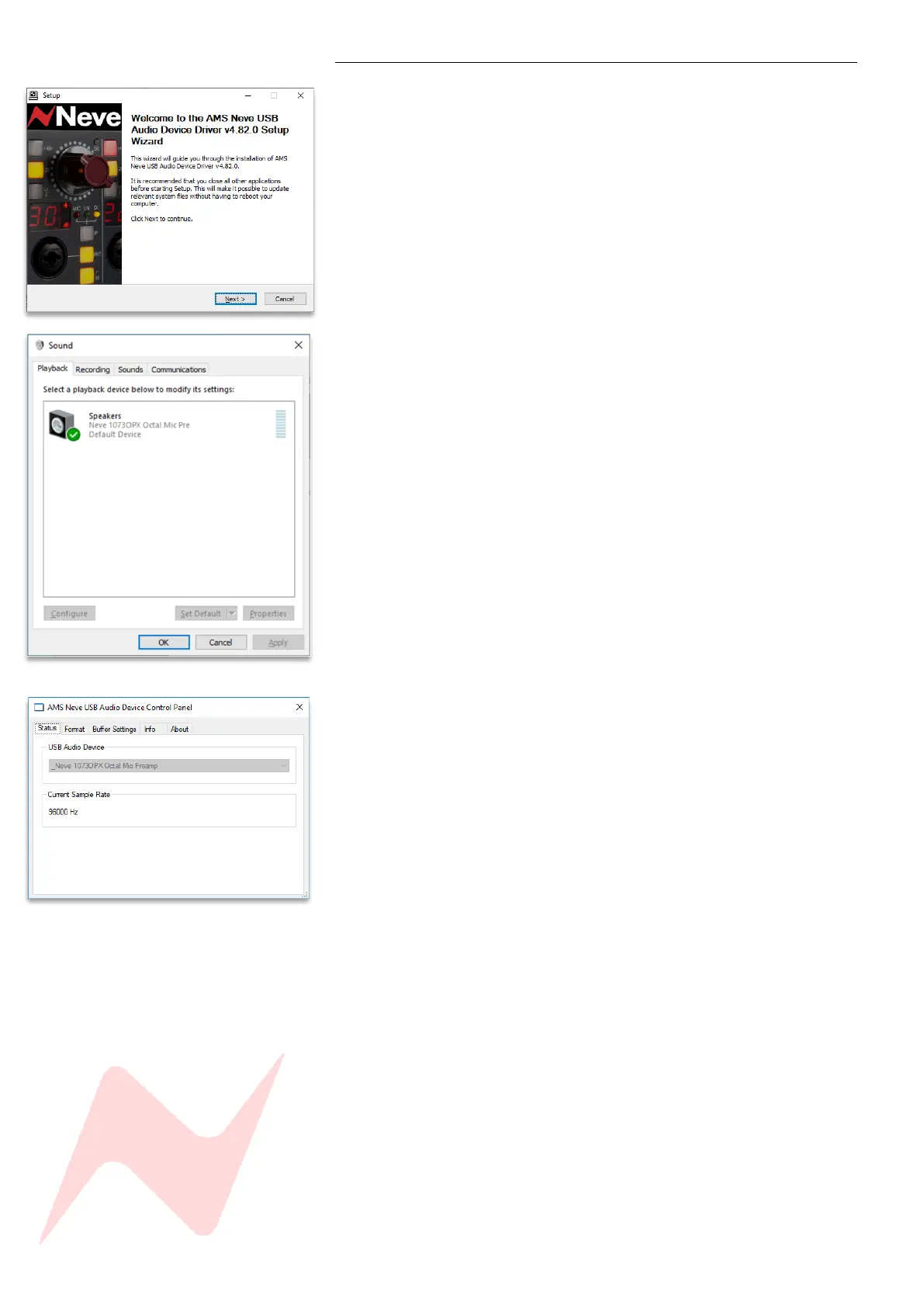
run the application and follow the on-screen instructions.
Before installing, please ensure that the USB cable is disconnected from
the unit
Click ‘Next
the driver will write to default location or a custom destination for
the driver can be entered if required,
click Install
Click ‘Finish’
Once installed, the 1073OPX will appear in your PC’s available audio devices
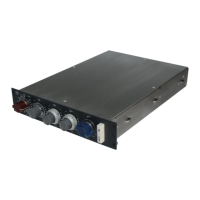
and the AMS NEVE USB audio device control panel application can now be
accessed. This application allows users to view the selected sample rate, Bit
Depth, buffer size, I/O and release and serial number information.
The 1073OPX can also be operated as a standalone audio interface,
independent of the DAW. This can be configured from your mac or PC audio
settings screen in the same way as any compatible connected audio device.
PC – following driver installation the AMS Neve USB Audio device control
panel will function once the driver is installed, and the hardware connected.
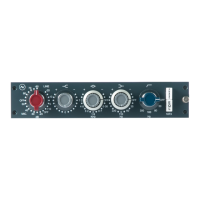
The device will appear in the PC’s Control Panel>Hardware and
Sound>Manage Audio Device and can be selected as the computers default
recording and playback device.
The 1073OPX will now function as an ASIO/core audio device and is
compatible with sample rates up to 192kHz and bit depths of 16/24Bit.
The sample frequency in USB Interface mode is controlled entirely through
the DAW sample rate selection. The units sample rate display will reflect the
sample rate selected within the DAW. However, the preferred buffer size
can be adjusted through the device control panel or via the DAW playback
engine settings page.


 To Next Page