Auxiliary Output Option
Newall Measurement Systems
40
AUXILIARY OUTPUT OPTION
(C) Set-Up
The Position Pulse Output parameters are set through “Set-Up” (Refer to Section 3.3). Select “POS OUT”
from the menu. This will give a sub-menu with the following choices:-
OFF Select for no output pulses
X Axis Select for single axis operation on X
Y Axis Select for single axis operation on Y
(Note: For the lathe version Y axis refers to Z Axis)
Z Axis Select for single axis operation on Z (Note: For the lathe version Z axis refers to Z
l
Axis)
All Axes Select for all axis operation
Use the arrow keys until the desired mode is displayed, then press ENT. If the Position Pulse Output is not
to be used select OFF.
Also in the main menu is the item POS SET. Selecting this gives another sub-menu:-
POSIT-1 Set 1st position(s) on one or all axes
POSIT-2 Set 2nd position(s) on one or all axes
POSIT-3 Set 3rd position(s) on one or all axes
RESET Reset position(s) on one or all axes
PULSE MS Set pulse width in ms (one value only)
The arrow keys will move you through these parameters displaying the current settings. To alter a setting,
press the appropriate axis key and enter the new value. e.g. if “ALL AXIS” operation has previously been
selected, then the keystrokes might be:
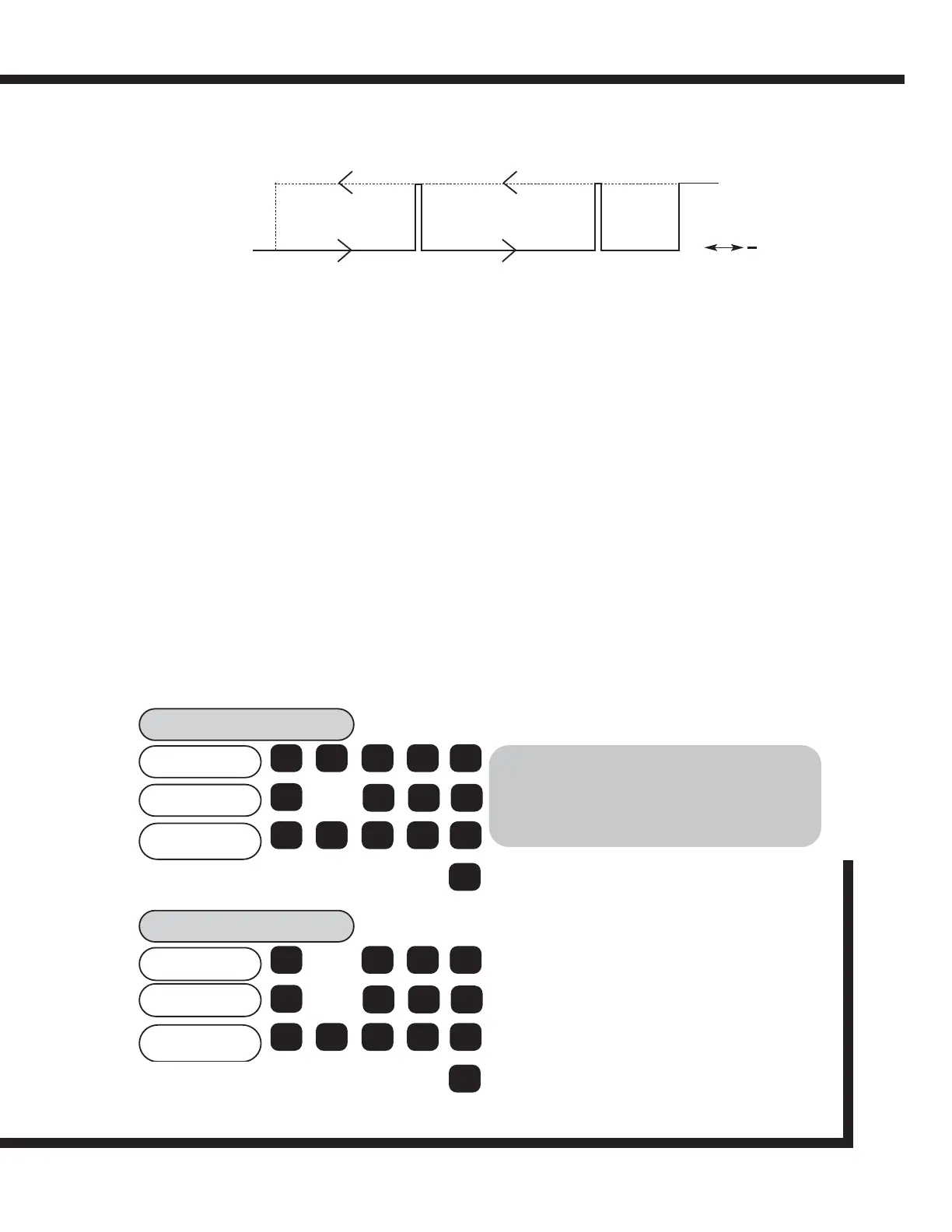
OUTPUT 1
RESET
POSITION 1 POSITION 2 POSITION 3
OFF
ON
Figure 8.4 Pulse Position Output (All Axes - shown for X axis only)
AXES
POSITION
X
POSIT-1
350.000
50.000
100.000
ent
5 0
ent
0 0
ent
5 0
X 1
Y
Z 3
>
Set position 1 for each axis using the axis
keys and keypad. Confirm each axis with (ENT).
Use the right arrow key to move to next setting.
POSIT-2
140.000
10.000
35.000
ent
1 0
ent
3 5
ent
4 0
X
Y
Z 1
>
Set position 2 for each axis using the axis
keys and keypad. Confirm each axis with (ENT).
Use the right arrow key to move to next setting.
POSITIVE DIRECTION
NEGATIVE DIRECTION
WARNING:
For correct operation, the RESET position must be
more positive than Position 1, which must be more
positive than Position 2, which must be more
positive than Position 3.



 To Next Page