Auxiliary Output Option
Newall Measurement Systems
41
AUXILIARY OUTPUT OPTION
RESET
505.000
175.000
750.000
ent
7 5
ent
5 0
ent
0 5
X
Y
Z 5
>
Set Reset position for each axis using the axis
keys and keypad. Confirm each axis with (ENT).
7
1
PULSE MS
25.000
ent
5 0Y
>
Set the width of the output pulse using the
Y axis key and keypad. Confirm with (ENT.)
2
POS SET
ent
Use the right arrow key to move to next setting.
Use the right arrow key to move to next setting.
Press to return to the main menu.
8.21 Remote Zero
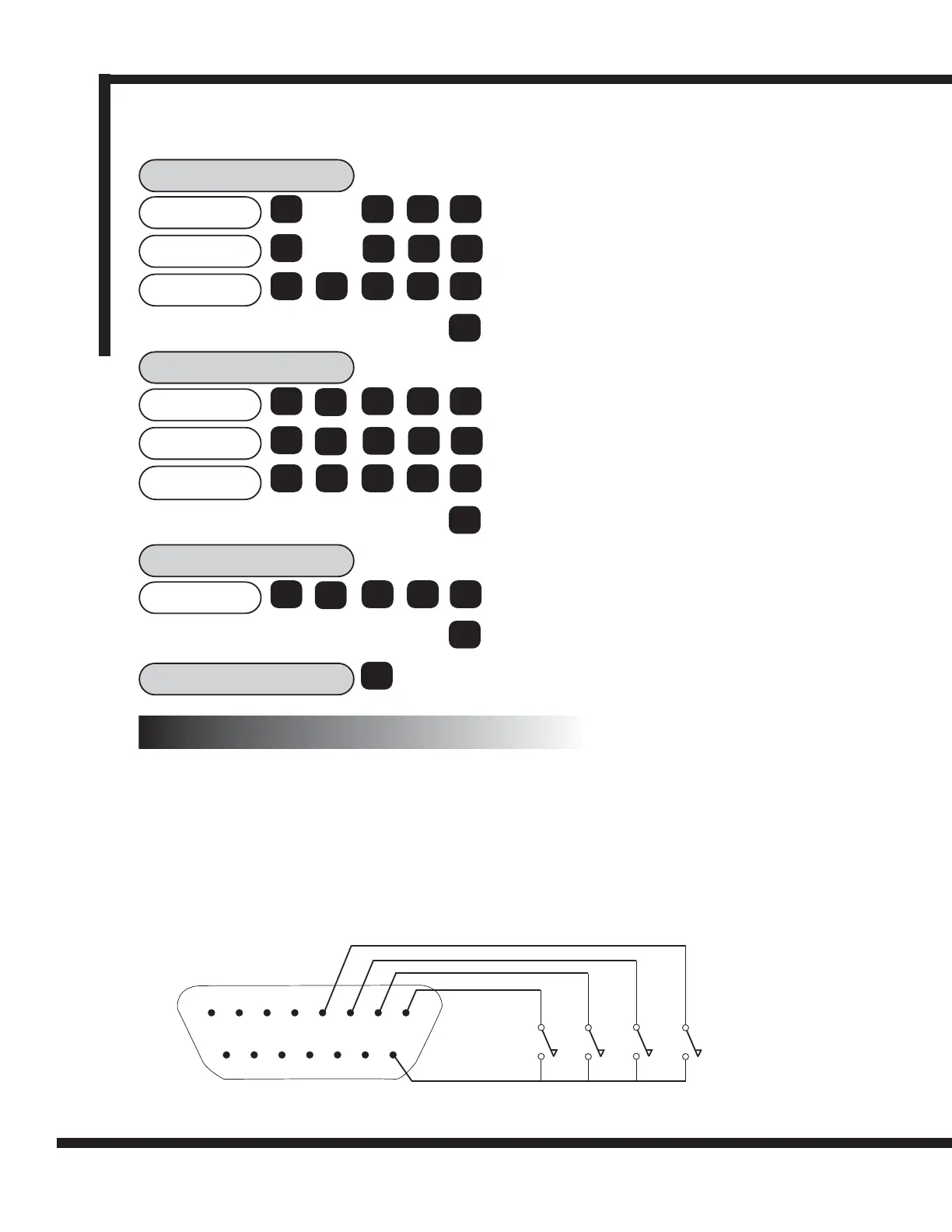
Three inputs are provided for the remote zero function, one for each axis X, Y or Z. When one of these
inputs is grounded, e.g. by a switch or relay contact, then the respective axis display will zero. This action is
equivalent to pressing the [ Xo ], [ Yo ] or [ Zo ] keys.
8.22 Remote Enter
One input is provided for a remote enter. This input can be used as a remote [ENT] key. For example, it
may be required that the X axis be set to 25.0 whilst making fine adjustments at some distance away from
the DP8. Press [ X ] [ 2 ] [ 5 ] on the DP8 keypad and, when ready, press the remote [ENT] switch.
Figure 8.5 shows an example of a connection to remote switches.
8.2 Remote Zero and Enter Inputs
12345678
9 1011121314
15
Xo Yo Zo ENT
DP8
Figure 8.5 Connection to Remote Zero and Enter Switches
POSIT-3
110.000
- 5.000
30.000
ent
- 5
ent
3 0
ent
1 0
X
Y
Z 1
>
Set position 3 for each axis using the axis
keys and keypad. Confirm each axis with (ENT).
Use the right arrow key to move to next setting.



 To Next Page