Standard Functions
Newall Measurement Systems
23
STANDARD FUNCTIONS
5.4.2 Method 2 (Manual Mode)
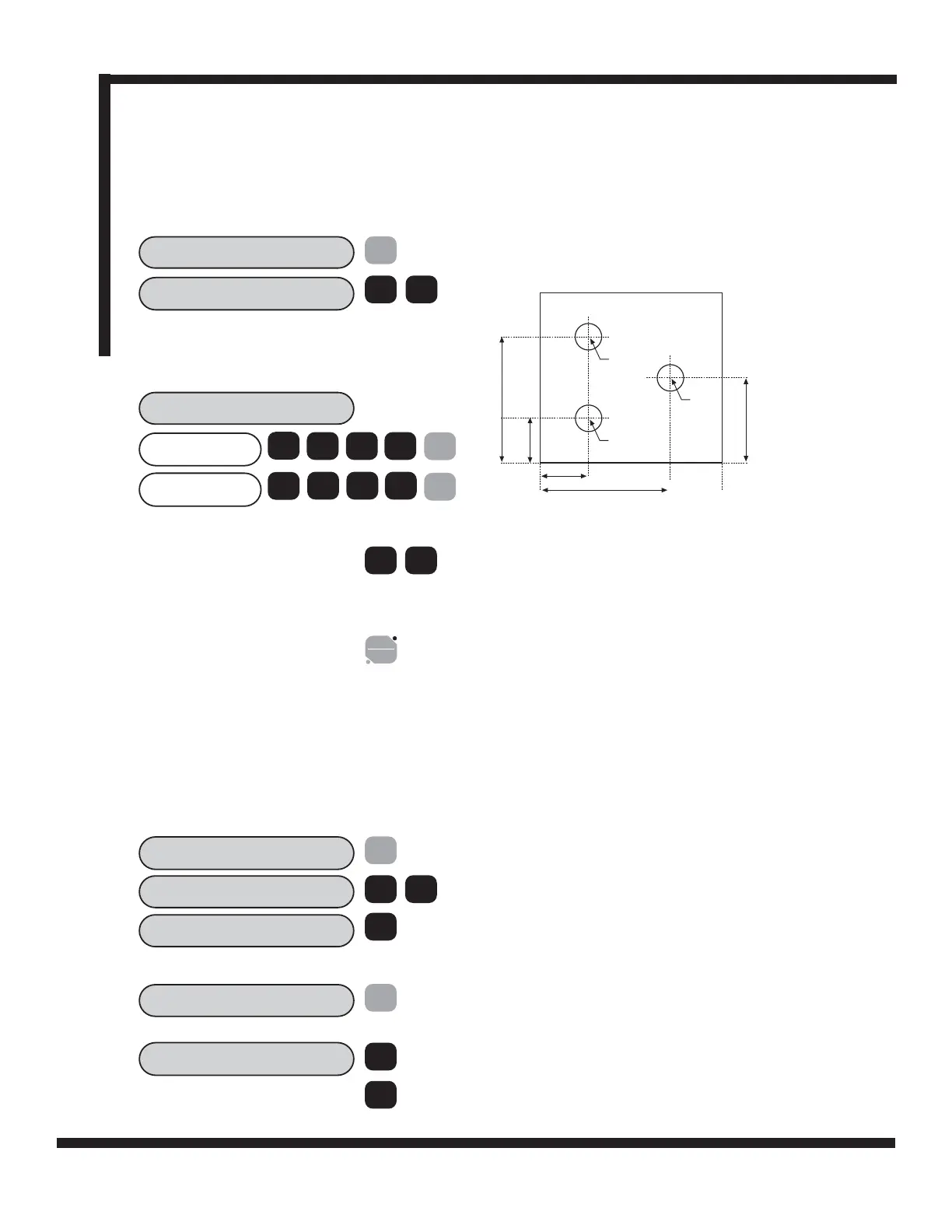
In this example, known SDM co-ordinates are entered via the keypad without moving the machine. SDM
co-ordinates must be entered relative to the absolute datum position. In other words each axis should be set to
zero prior to programming sub-datums
1
SDM NO. ?
sdm
EXAMPLE:
Keystrokes for entering the following part dimension into
SDM are shown.
ent
1
1.2000
SDM 1
2.8000
1 2
.
Select the first SDM number using the
[SDM] or arrow keys.
Select the desired AXIS, enter the dimen-
sion and confirm with SDM.
Scroll through the next SDM by using the
arrow keys. Alternatively, use the [SDM] key
to select a new SDM. Enter the new
coordinates via the keypad.
Repeat procedure for SDM2 and SDM 3.
2 8
.
<
>
To exit SDM function, select ABS/INC
5.4.3 Job Numbers
This function enables a group of sub datums to be identified by a number at the beginning of the group, and
an end marker at the end of the group.
Once a series of sub datums has been entered it is possible to enter the Job Number and End Marker. From
a selected Sub Datum proceed as follows in the example below:
(a) To insert a Job Number
SDM NO?
sdm
ent
Select the first Sub Datum in the sequence
to be grouped e.g. SDM10
SDM 1
SDM 2
SDM 3
2.800in
1.200in
1.200in
2.800in
2.000in
abs
inc
INS SDM
Press INS key.
>
ins.
1
0
INS JOB?
ent
Press the arrow key to display Insert Job.
Confirm with [ENT].
10
SDM 10
sdm
sdm
NOTE: The axis displays will change to show the current
position relative to the SDM.
X
Y
Y
X



 To Next Page