22
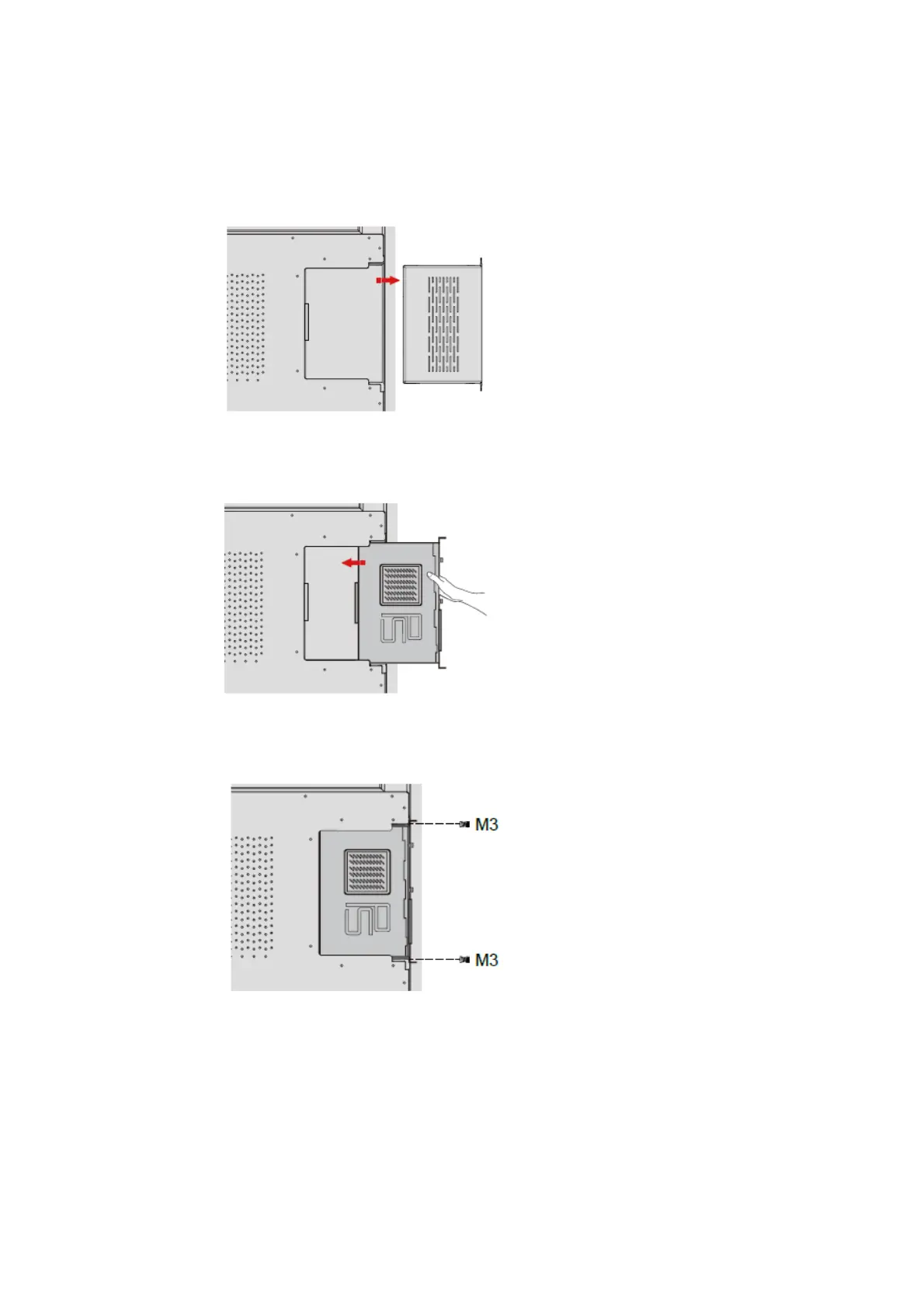
You will need to purchase the internal PC separately. Perform the following steps to install the
internal PC:
Step 1 Unscrew the M3 screws by hand to remove the internal PC shielding cover.
Step 2 Push the internal PC into the port at the rear of the screen from right to left.
Step 3 Secure the internal PC to the display by using the M3 screws.
Step 4 Ensure the installation is correct before turning the power on again.


 To Next Page
 Loading...








