Copyright © 2013 NEXCOM International Co., Ltd. All Rights Reserved.
26
NDiS B533 User Manual
Chapter 3: System Setup
4. Press down the lever that is attached to the CPU socket. While holding
the lever down, pull it sideways to disengage the lever from the hook.
Fully open the lever.
5. Lift the load plate to open. The load plate is the metal cover that
protects the CPU socket.
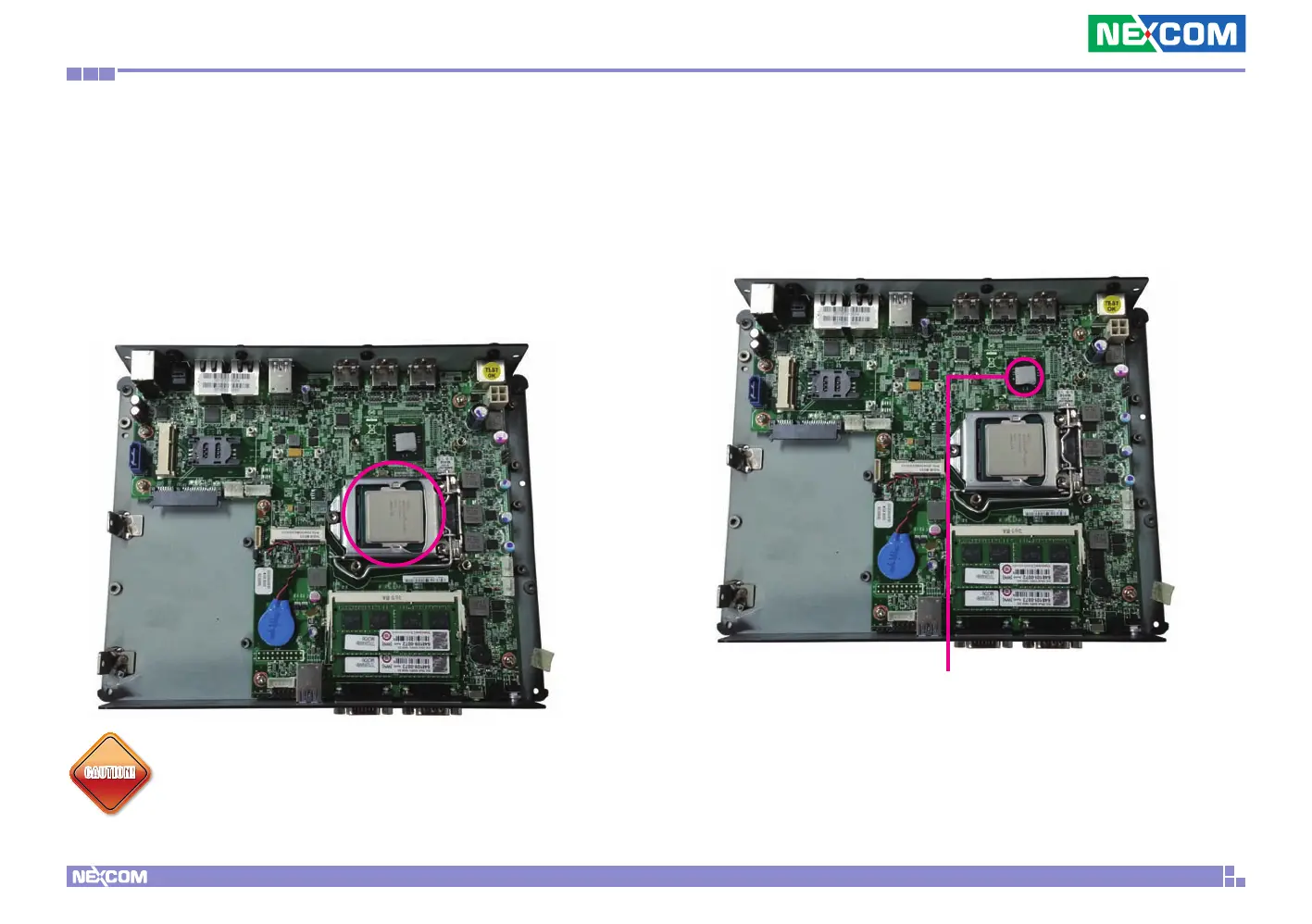
6. Place the CPU in the socket with the CPU cutouts matching the socket
notches.
CAUTION!CAUTION!
Do not force the CPU into the socket. Forcing the CPU into the
socket may bend the pins and damage the CPU.
7. Close the load plate.
8. Push down the socket lever while pushing it toward the center of the
CPU socket to lock the load plate.
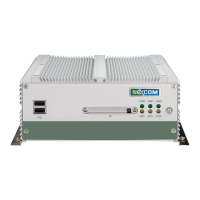
9. Attach the thermal pad onto the chipset.
Thermal Pad


 To Next Page