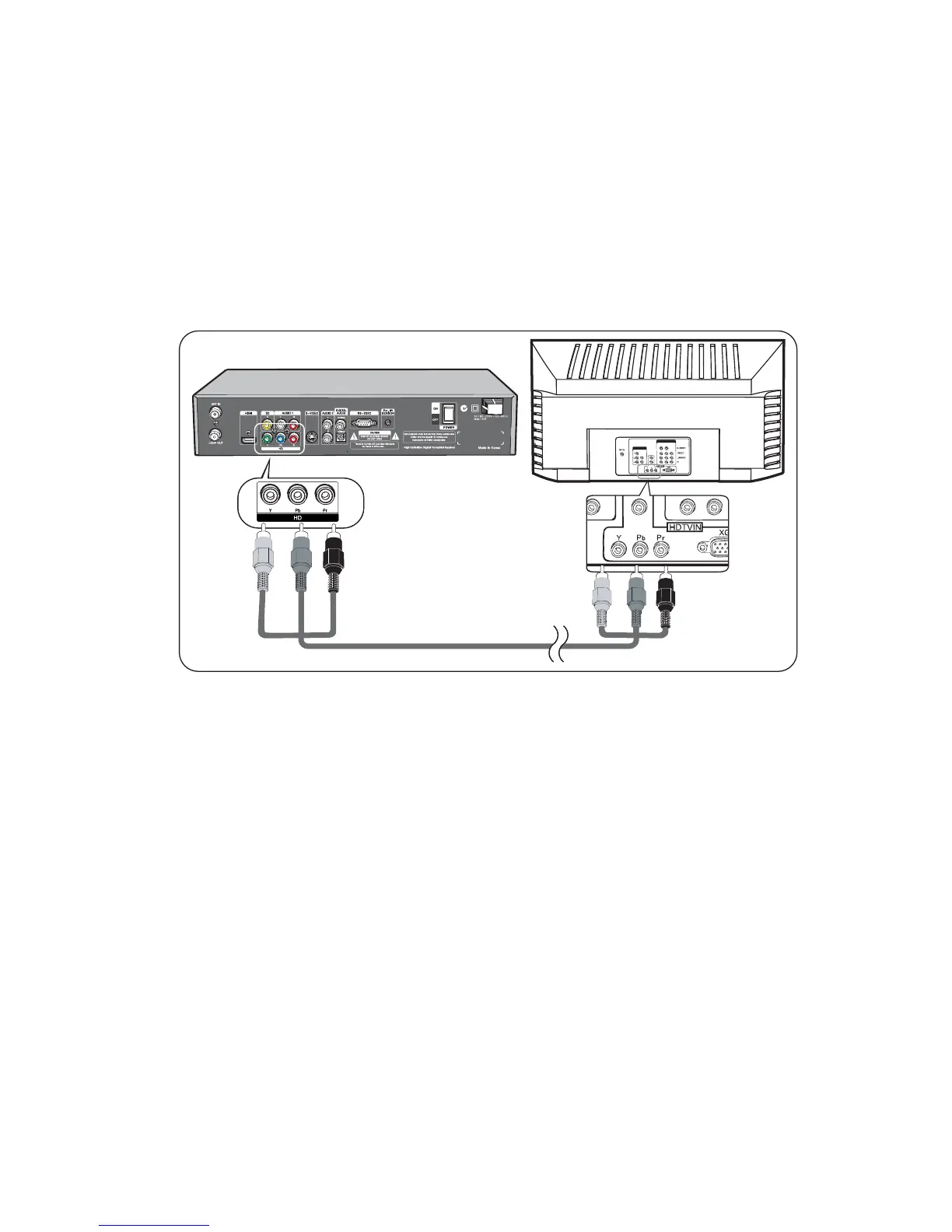
Connecting to a HDTV with HD YPbPr
1. Connect YPbPr Video cable to the HD terminal on the back of HD-STB.
2. Connect the other end of the YPbPr cable to the HD YPbPr Input terminal on
the HDTV.
3. Usually, the Y is Green colour, Pb is Blue colour, and Pr is red colour
assigned.
4. Setting Up the Display desired resolutions.
Connect YPbPr cable between HD-STB and your TV as shown in Figure 5.
HD-STB YPbPr output supports the following 50Hz HD video modes: 1080i, 720p
and 576p. SD via YPbPr is not supported.
13
Fig.5 HD YPbPr Video Connection
Y - Green
Y - Green
Pr - Red
Pb - Blue
Pr - Red
Pb - Blue
Connecting your HD-STB



 To Next Page