4. System Setup
From here you can setup Time Zone, Auto power off, Factory Reset and check up the
HD STB's system information
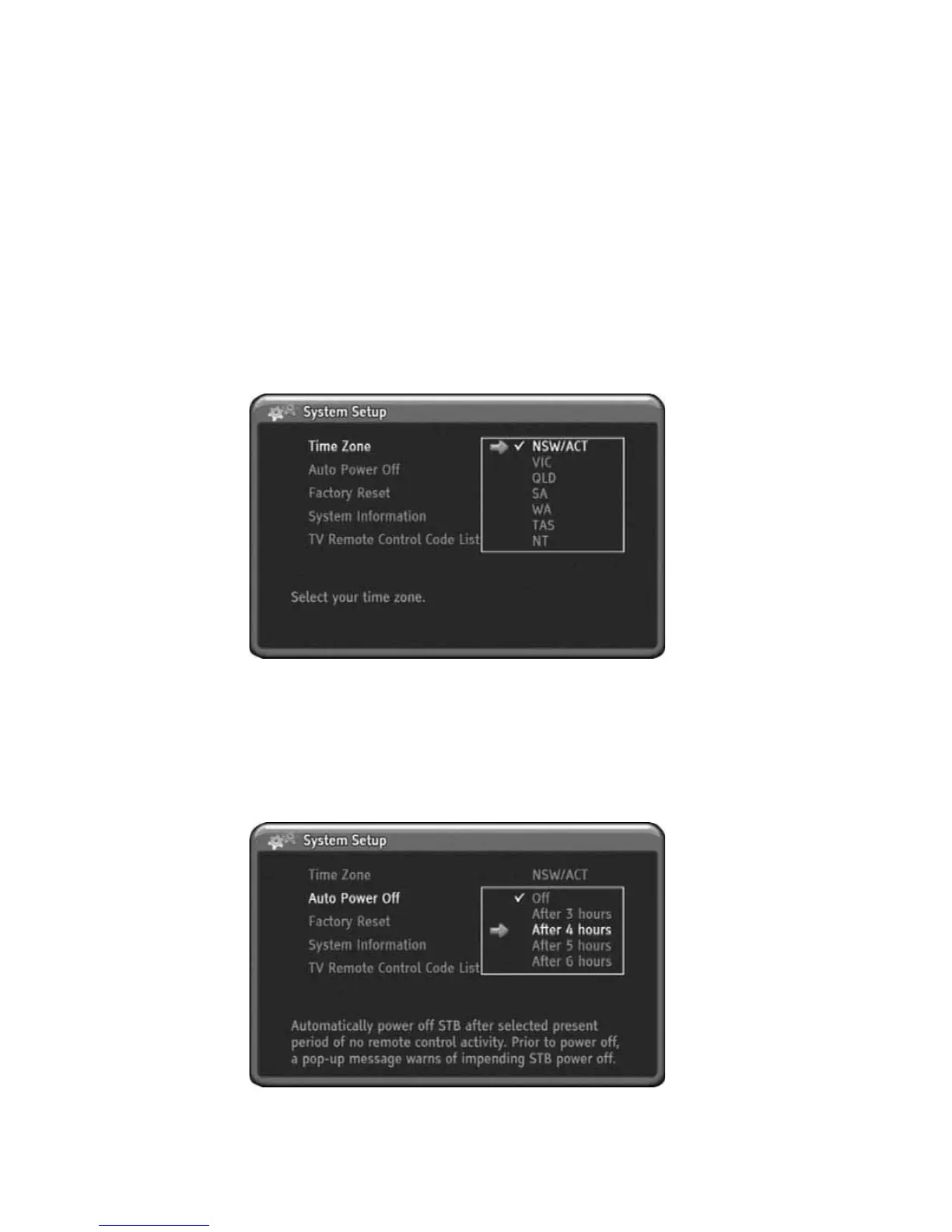
Time Zone
From here you can setup the Time Zone. You should select the time zone
information after factory Reset. It is for correct time display when EPG information
is displayed.
1) Press MENU to display the menu.
2) Press DOWN to select the System Setup menu.
3) Press OK or RIGHT to select System Setup menu.
4) Press OK or RIGHT to enter sub menu.
5) Press UP or DOWN to select Time Zone.
6) Press OK or RIGHT to change Time Zone where you lived.
7) Press MENU to go back.
'
Auto Power Off
This HD-STB has Auto Power Off - Power Saver function. If you setup the Auto
Power Off - Power Saver with period of times, then this HD-STB will automatically
turn off after preset period of time in case of none remote control activity for
prevent unwanted operation. Prior to turn off, a pop-up menu will warns of
impending HD STB power down. If you setup to Off, then this function will disable.
26
Using the MENU System



 To Next Page