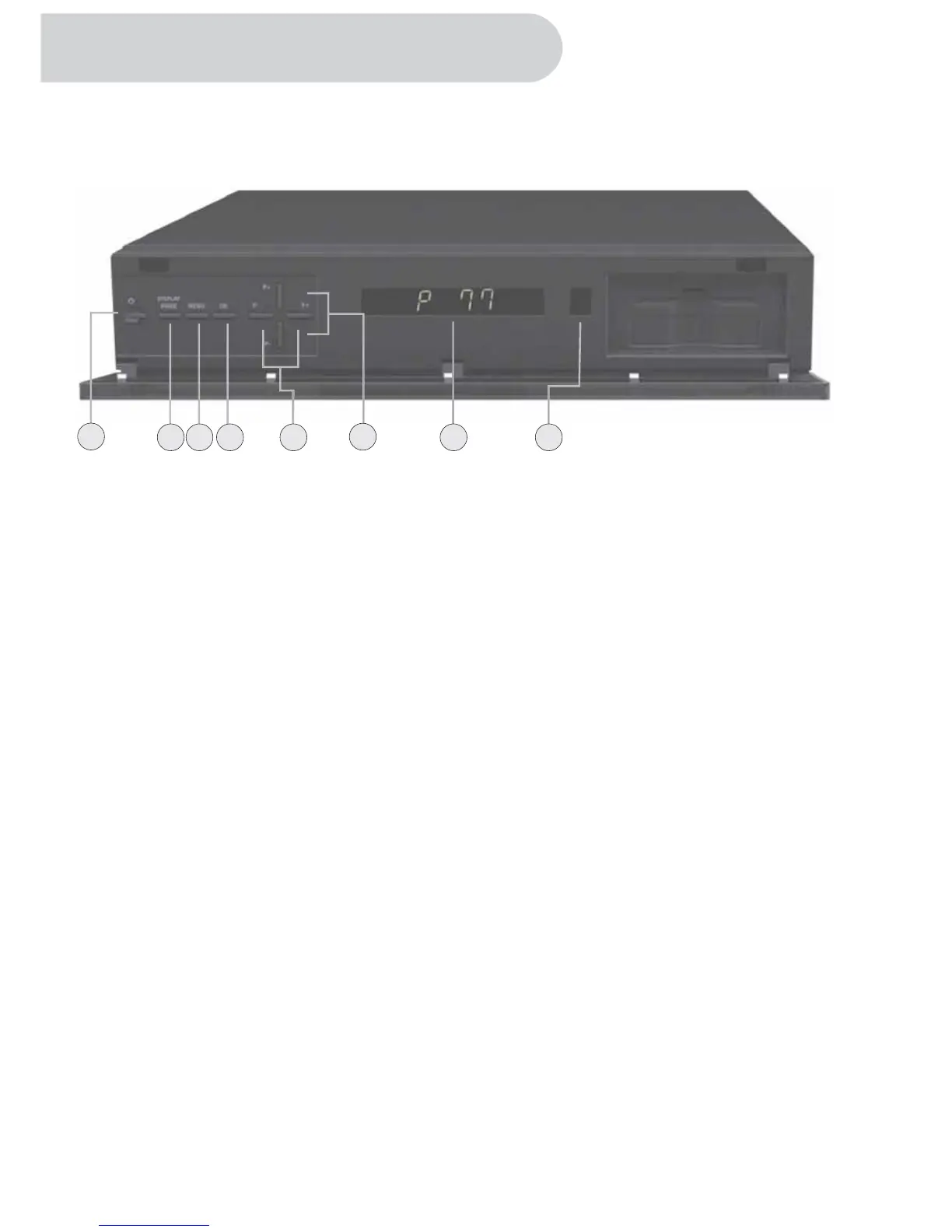
This section summarizes HD-STB buttons, controls, and terminals.
Front Panel
1. POWER
Press to turn the HD-STB on or off.
2. DISPLAY MODE
Press to change the output video display mode.
3. MENU
Activate the menu system.
4. OK MENU
-Select the items in the menu system.
-Display Channel List
5. LEFT / RIGHT
Left or Right movement in the menu system.
-
6. UP/ DOWN
-Up or Down movement in the menu system.
-
7. Display Panel
Display information to assist you in operating the HD-STB successfully.
8. Remote Sensor
This HD-STB receives infrared remote signal from your remote control.
Do not block it.
-
Change the STB's volume level up or down.
Change the STB's digital channel.
3
8
32 7
4
5
1
6
Overview of the equipment



 To Next Page