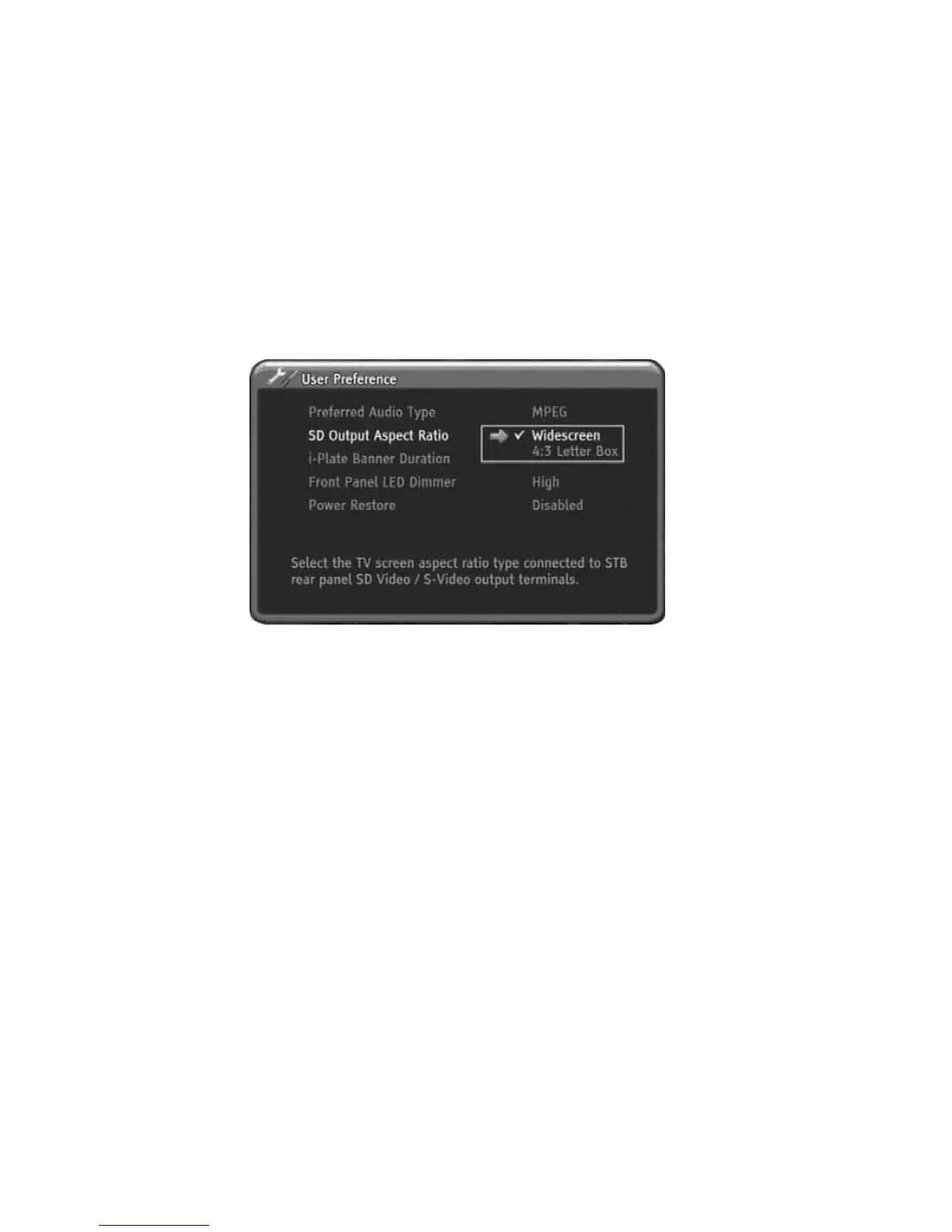
SD Output Aspect Ratio
You can select best fitting display mode for your SD TV screen.
This function is available only Composite Video and S-Video output when the 16:9
source is coming from Broadcaster. The 16:9 format is the standard mode for most
wide TV screens. You can select Widescreen or 4:3 Letter Box for fit your SD TV s
screen.
1) Press MENU to display the menu.
2) Press OK or RIGHT to select the User Preference menu.
3) Press DOWN to select display format menu.
4) Press RIGHT to select sub-menu.
5) Press UP or DOWN to select desired display format.
6) Press OK or RIGHT to save the selected display format.
7) Press MENU to exit the menu.
i-Plate Banner Duration
You can adjust Information Banner (i-Plate) time duration. If you feel i-Plate time is
too long or short, you can select time out period using i-Plate Banner Duration
setup. It is affected with i-Plate and 7-DAY EPG display.
.
Front Panel LED Dimmer
You can adjust front LED display brightness. If you feel the front panel LED is too
brighter or darker, you can adjust the brightness of LED display using Front Panel
LED Dimmer setup.
Power Restore
This HD-STB has Power Restore function. If you setup the Power Restore to Enabled
and when AC main power is restored, the HD-STB will automatically turn on and
display final memorized channel. It is useful for multiple display or exhibition for
control the HD-STB. After setup the Power Restore to Enabled, just turn on the AC
main power for HD-STB on and turn off the AC main power for HD-STB off. The
factory default value is Power Restore Disabled.
20
Using the MENU System



 To Next Page