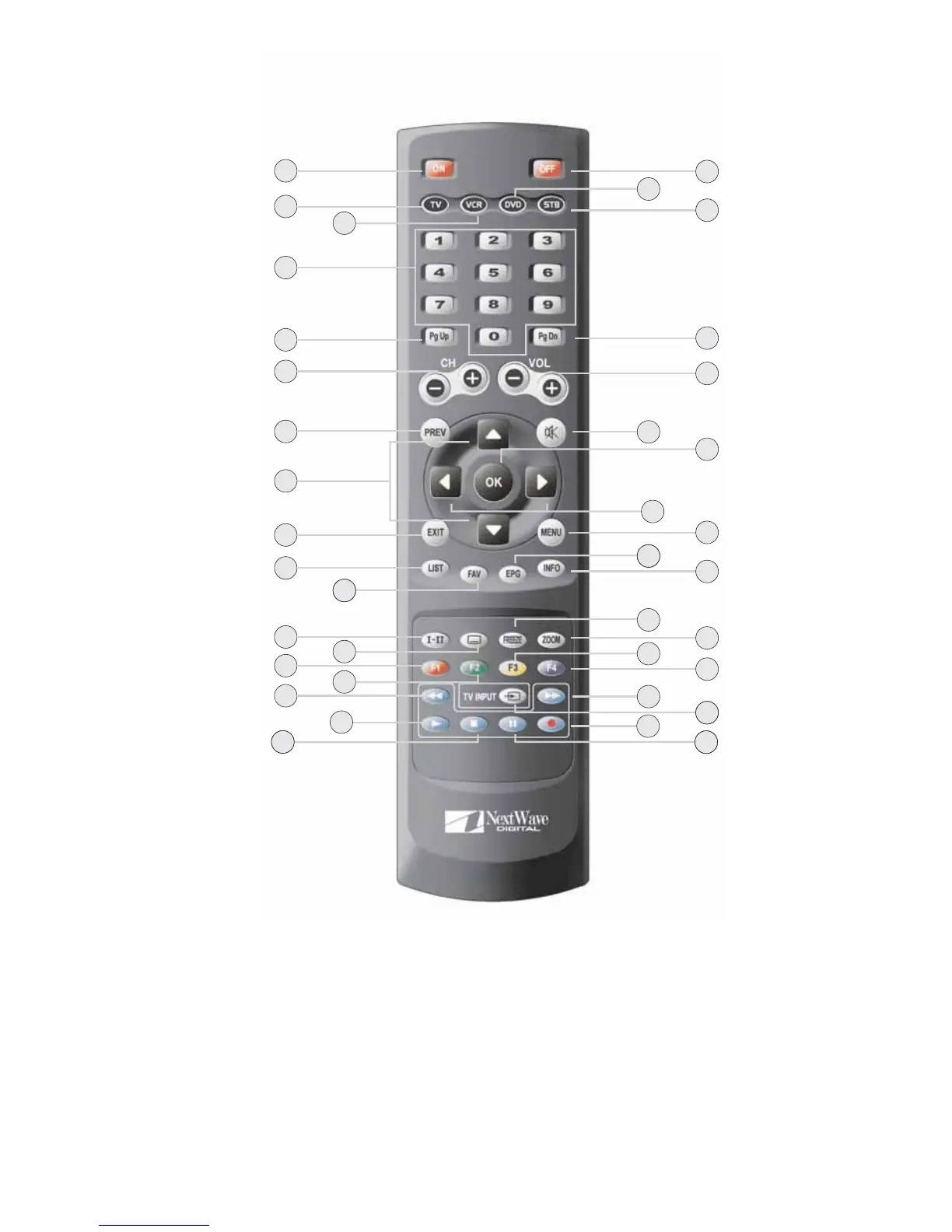
Remote Control
1. POWER ON
Turn your HD-STB On.
2. TV
3. VCR
Change your Remote Controller to VCR mode.
4. 0~9 (Number Button)
Direct change the desired channel.
To change the channel, simply press desired channel number.
The button operation should be less than 2 seconds between button pressing.
Change your Remote Controller to TV mode.
5
Overview of the equipment
11
18
13
15
20
28
30
32
3
37
35
26
2
10
17
12
14
21
29
36
31
33
34
24
16
4
5
6
7
9
23
27
22
25
8
1
19



 To Next Page