12
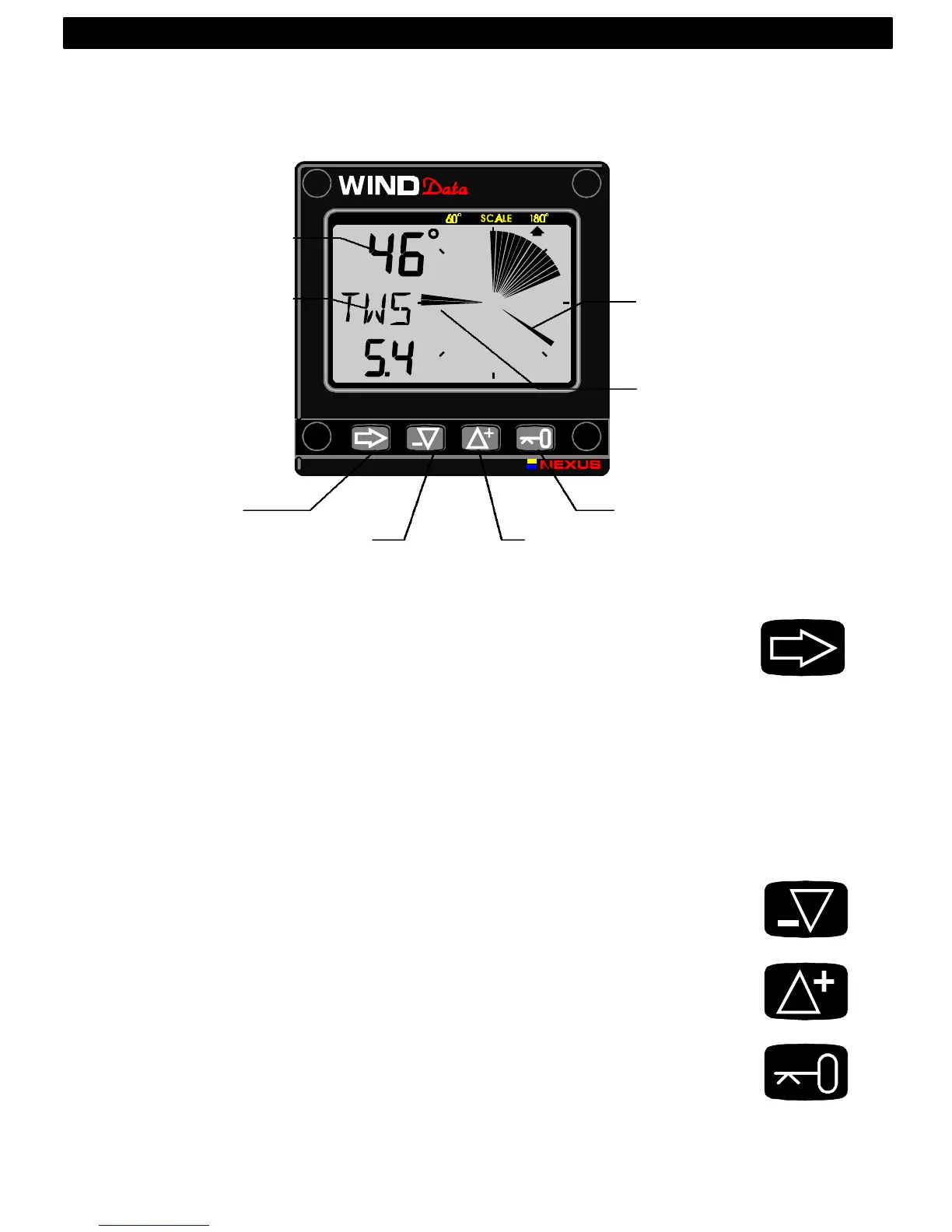
3.2 How to use the 4 push-buttons
3.2.1 MODE
A press on MODE change the mode of the graphical display. It scrolls in
a circular pattern, one step for every press.
The MODE button is also used to move the cursor when in edit mode. A
press on MODE moves the cursor in a circular pattern, one step to the
right for every press.
A press on MODE and DOWN together, back steps cursor to the
preceding step.
When in editing mode a long press (>2sec) on MODE will escape from
that editing mode.
3.2.2 DOWN
A press on DOWN moves to the next sub-function.
In edit mode it decreases to previous digit.
3.2.3 UP
A press on UP moves to the previous sub-function.
In edit mode it increases to next digit.
3.2.4 KEY
A press on KEY unlocks a digit to access edit mode.
When unlocked, the digits are ”active” (flashes) and can be edited by
pressing DOWN, UP and MODE as required.
When finished editing, lock the digit by another press on KEY.
4: OPERATION
MODE
DOWN
UP
KEY
APPARENT



 To Next Page