26
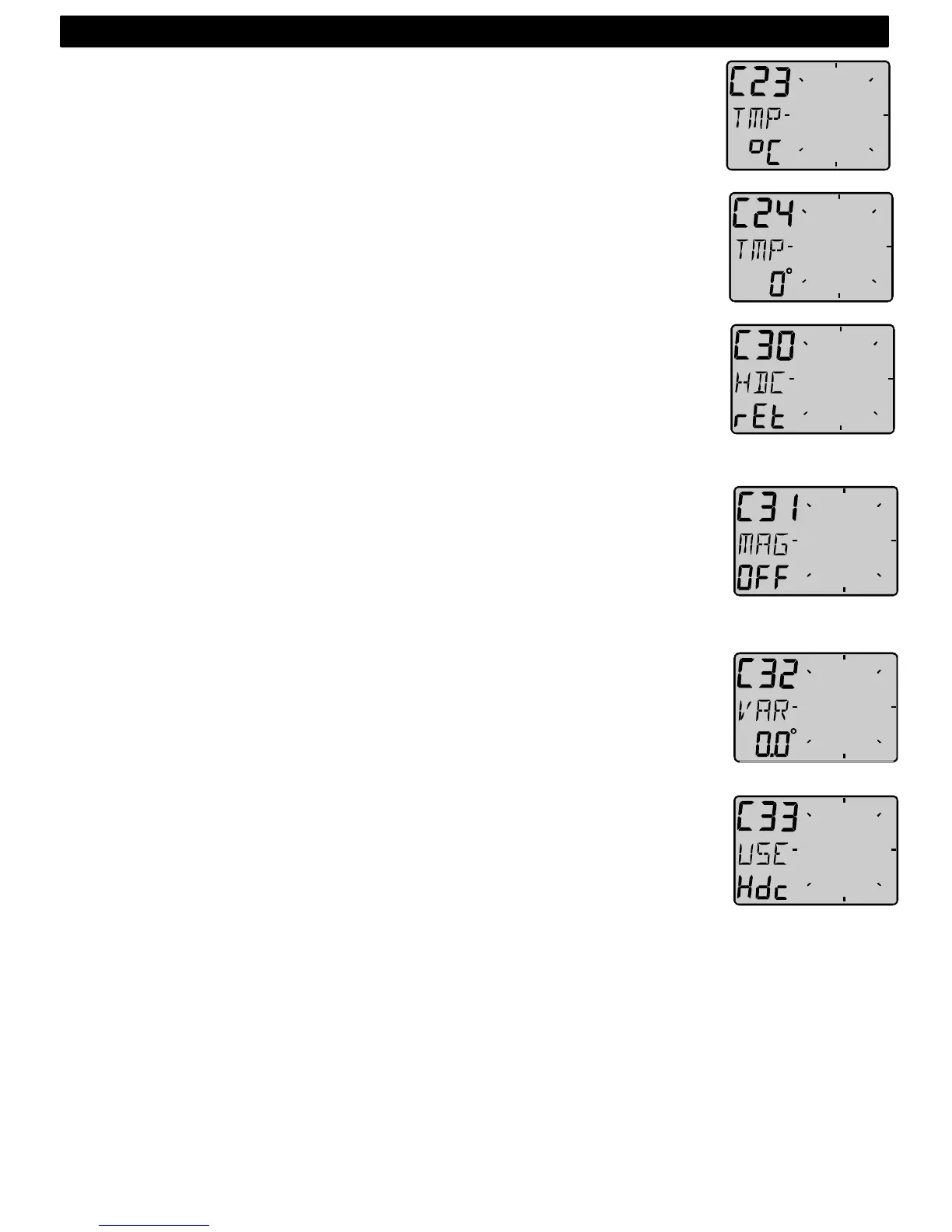
4.2.3 C23 Unit for temperature
Select degree Celsius [C] or degree Fahrenheit [F].
4.2.4 C24 Temperature offset
By adding a positive or [-] negative value here, it will be added as an
offset before displayed as the temperature.
4.3 C30 Compass Settings
To return to normal mode, press KEY when the text [rET] is displayed.
4.3.1 C31 True or magnetic course
This function is only used when the instrument is connected in the Nexus
Network. [MAG On] will display bearing, course and Wind direction as
magnetic. The LCD indication is (MAG). Select [OFF] to display all as
true.
4.3.2 C32 Magnetic deviation
Set the deviation direction first, i.e. [+E] (East) or [W] (West), then enter
the magnetic value in 1/10 of a degree.
4.3.3 C33 Reference for Compass, static or GPS
Select heading Compass [Hdc] when the Compass transducer is
connected to the Nexus Network (recommended).
Select course over ground [COG] when a GPS navigator is connected,
but no Compass.
Select STA for static use at fixed installations, such as at the yacht club,
airfield, ferry berth and so on.
In static mode you may mount the transducer in the direction of North, or
if not possible, you may adjust the transducer electronically. See C54,
5.4.4.
Note! [COG] as reference will only operate properly when the boat is
doing speed over ground.
5: CALBRATION



 To Next Page