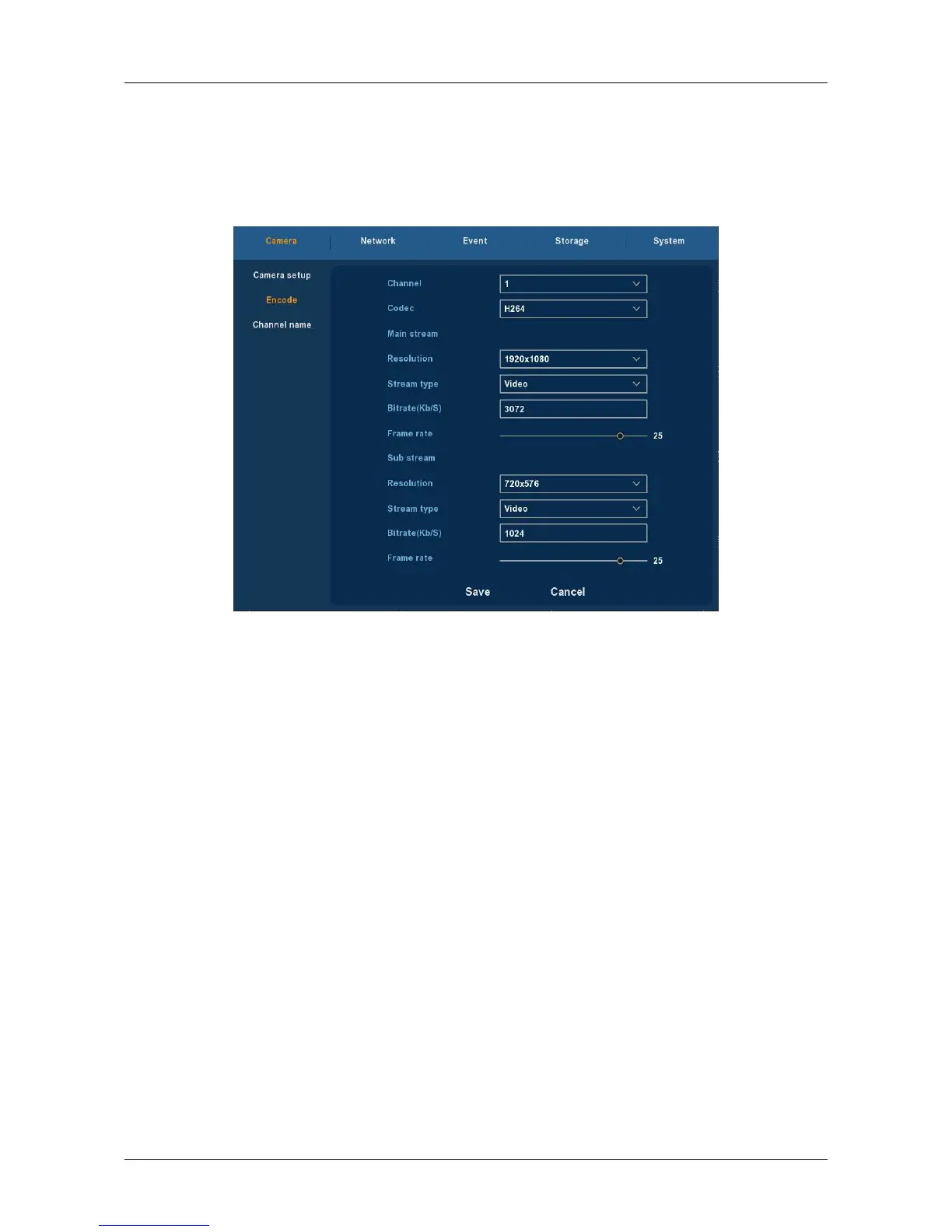
3.5.1.2 Encoding
Choose ”Menu→Setup→Camera→Encode” in the Menu interface, the
Encoding Parameters interface is displayed, as Figure 3-15 shows. Resolution,
Frame Rate, Stream Type, Bit Rate, Sub-stream can be set under “Param”
Interface.
Figure 3-15
Channel: Select the channel you want.
Codec: System supports H.264.
Resolution: System supports various resolutions , you can select from the
dropdown list. Please note the option may vary due to different series.
Stream type: Select video stream or audio stream..
Bit Rate: Setting bit rate can change the picture quality, the larger the
bit rate and the better the picture quality.
Frame Rate: PAL type: 1 frames / sec-25 frames / sec; NTSC type:
1frames / sec-30frames / sec.
Save: Save the parameters on Encode configuration menu.
Cancel: Return to the former interface.
3.5.1.3 Channel Name
Choose ”Menu → Setup → Camera → Channel Name” in the Menu
interface, the Channel Name interface is displayed, it is to modify channels
name, as shown in Figure 3-16.



 To Next Page