IP Address: Here you can input IP address of NVR.
DHCP: If the router allows DHCP functionality, select DHCP. The IP
Camera will obtain IP address automatically from the router. If the
router does not allow for DHCP functionality, then the IP address must
be obtained manually.
Subnet Mask: Subnet mask of NVR.
Default Gateway: Default gateway of NVR.
Primary DNS: It is usually offered by local ISP. Your IP address of domain
name server is entered here.
Secondary DNS: Start secondary DNS when the primary one does not
work.
Broadcast: Reserved.
MAC: The host in the LAN can get a unique MAC address. It is for you to
access in the LAN.
TCP Port: Default value is 5000.
HTTP Port: Default value is 80.
RTSP Port: Default value is 554.
Default: Restore all parameters of network setup to be defaulted ones.
Save: Save parameters of network setup interface.
Cancel: Cancel the set Network of current interface.
3.5.2.2 DDNS
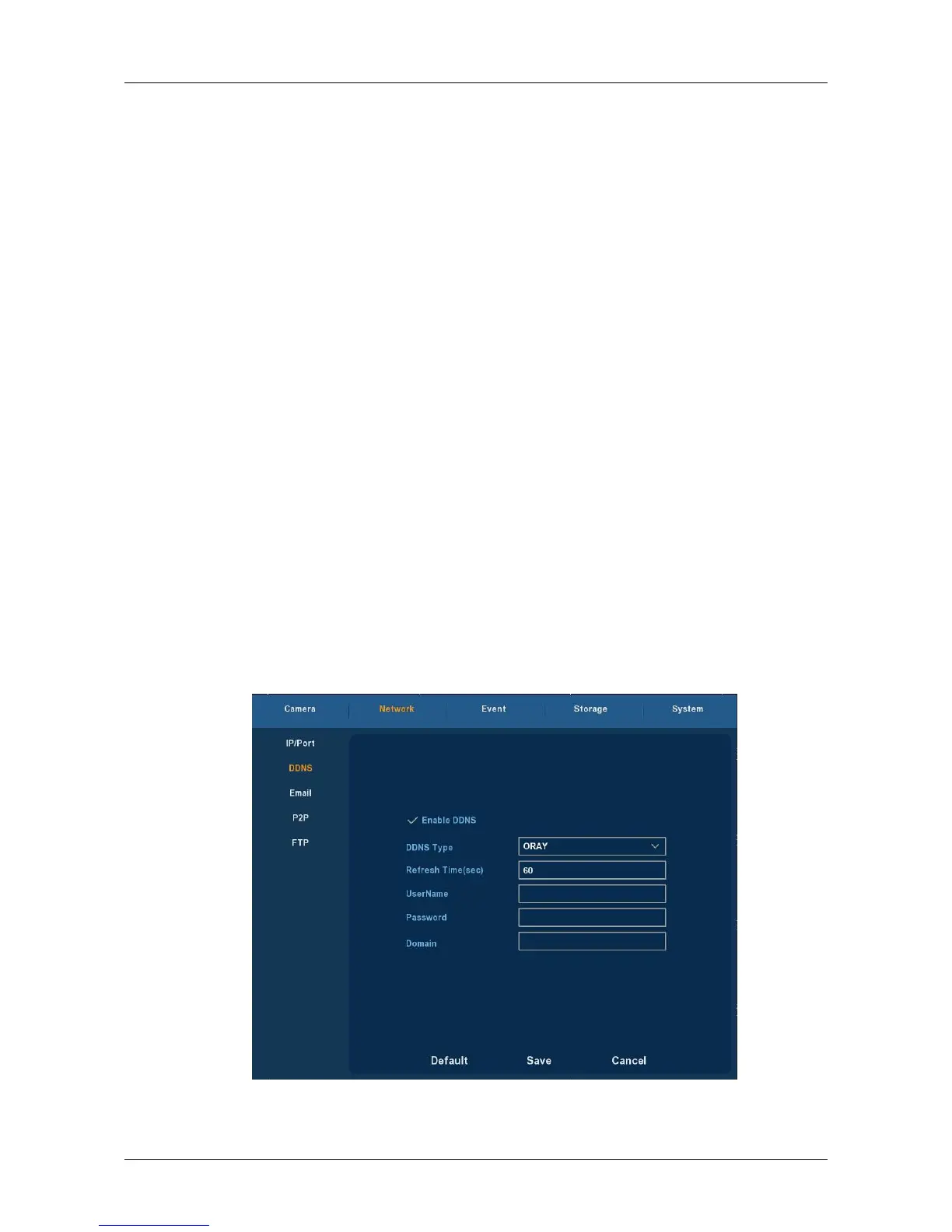
Choose ”Menu→Setup→Network→DDNS” in the Menu interface, the
DDNS interface is displayed, as Figure 3-18 shows. You need a PC of fixed IP
in the internet and there is the DDNS software running in this PC. In other
words, this PC is a DNS (domain name server).
Figure 3-18



 To Next Page