Android: Download Link of P2P client for Android system.
ISO: Download Link of P2P client for Iso system.
Save: Save configured parameters value on video configuration
menu.
Cancel: Return to last management menu.
NVR devices support FREEIP client, check “√” of Enable P2P to open
the platform P2P functionality.
3.5.2.5 FTP
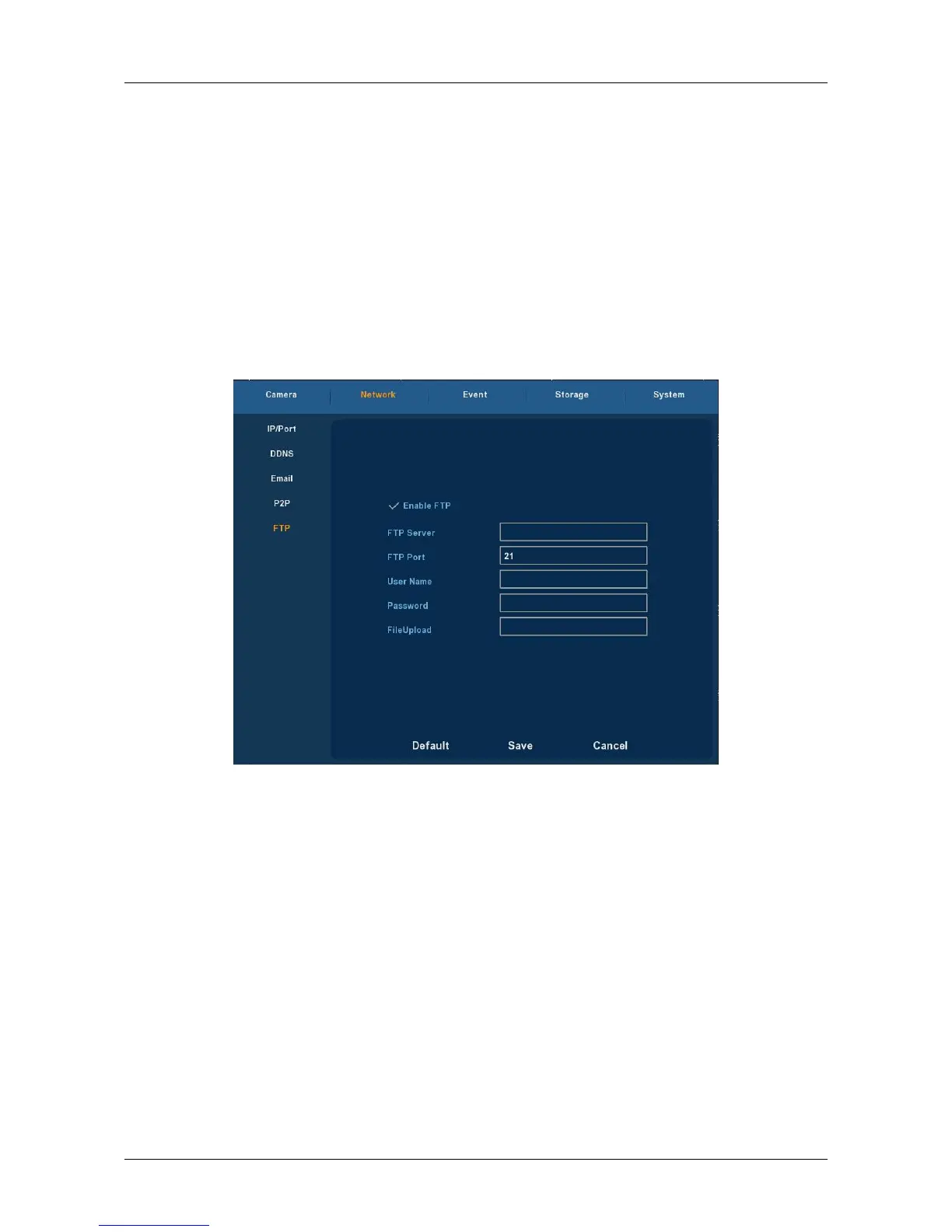
Choose ”Menu→Setup→Network→FTP” in the Menu interface, the FTP
interface is displayed, as Figure 3-21 shows. You need to download or buy
FTP service tool (such as Ser-U FTP SERVER) to establish FTP service.
Figure 3-21
Enable FTP: Enable to activate FTP function.
FTP Server: IP address or HTTP network address of FTP server.
FTP Port: : The default FTP port is 21, if your FTP server is different, you
need to use the same port name with your FTP server.
User Name: Your FTP account user name.
Password: Your FTP account password.
File Upload: You can use NVR FTP upload video file to FTP server.
Default: setting all the parameters in the FTP Setup interface to be
default.
Save: Save configured parameters value on FTP configuration menu.
Cancel: Return to last management menu.



 To Next Page