25
WPS BUTTON
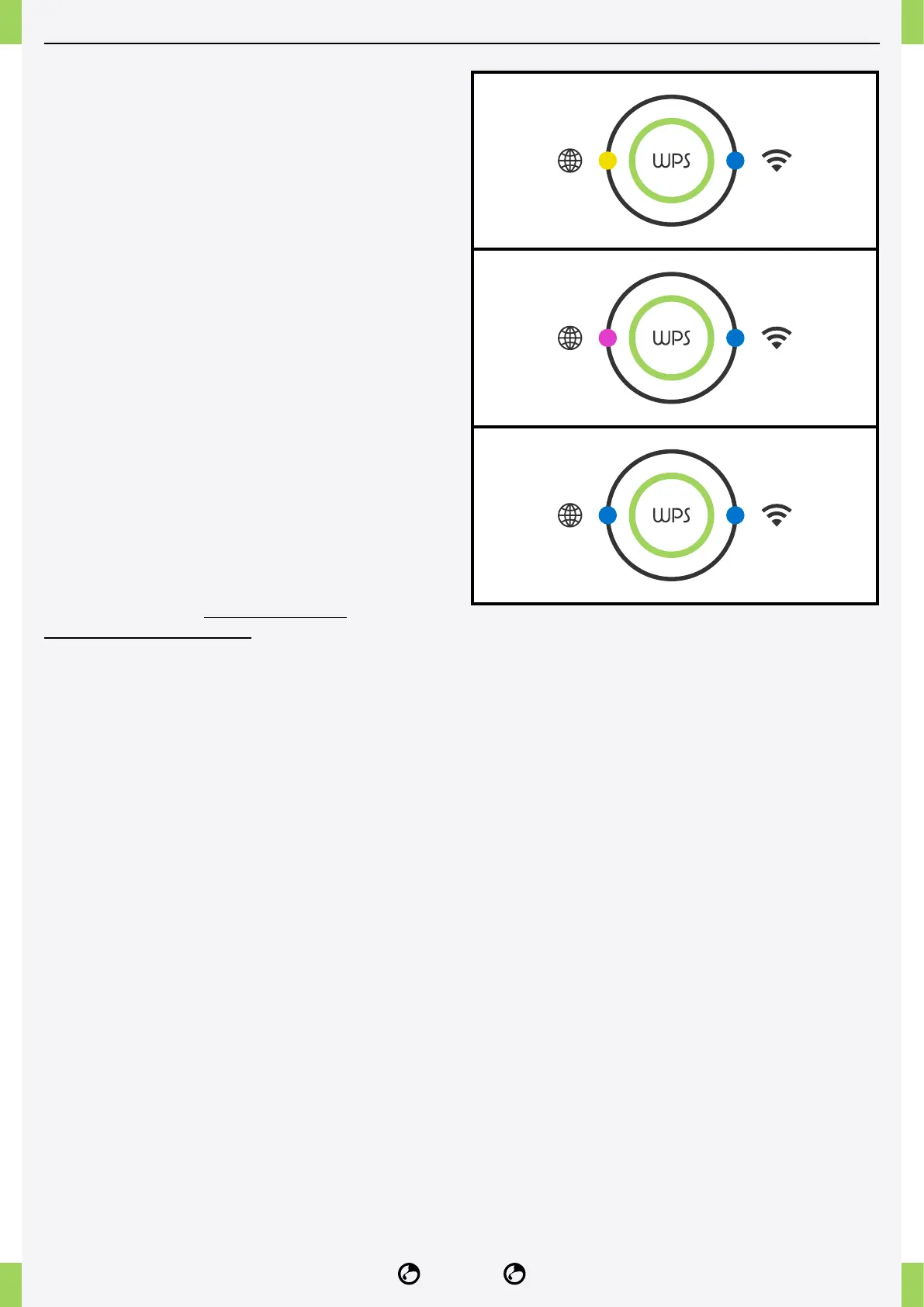
ASSOCIATION NIDO PLUG
(Left LED yellow, right LED solid blue)
Press for 1-3 seconds until the Wi-Fi
connection status light turns yellow.
SMARTPHONE PAIRING
(Left LED magenta, right LED solid blue)
Press 4-8 seconds until the Wi-Fi connection
status light turns magenta.
To pair the smartphone, NIDO ONE V2 must
be connected to the internet.
NEW ACCESS POINT PAIRING
(Left LED blue, right LED solid blue)
Press for 9-12 seconds until the Wi-Fi
connection status light turns blue.
It is NOT recommended to use this feature to
pair NIDO ONE V2 with incompatible access
points. Once the pairing is completed, NIDO
ONE V2 must be restarted.
For a detailed guide, you can watch the
following video on YouTube.



 To Next Page