28
1
2
3
4
PAIRING NIDO PLUG
The detection of the NIDO plug may take up
to 1-2 minutes.
If after 2 minutes the notication does not
appear in the NidoPro app, disconnect and
reconnect the NIDO plug and repeat the procedure
from the beginning.
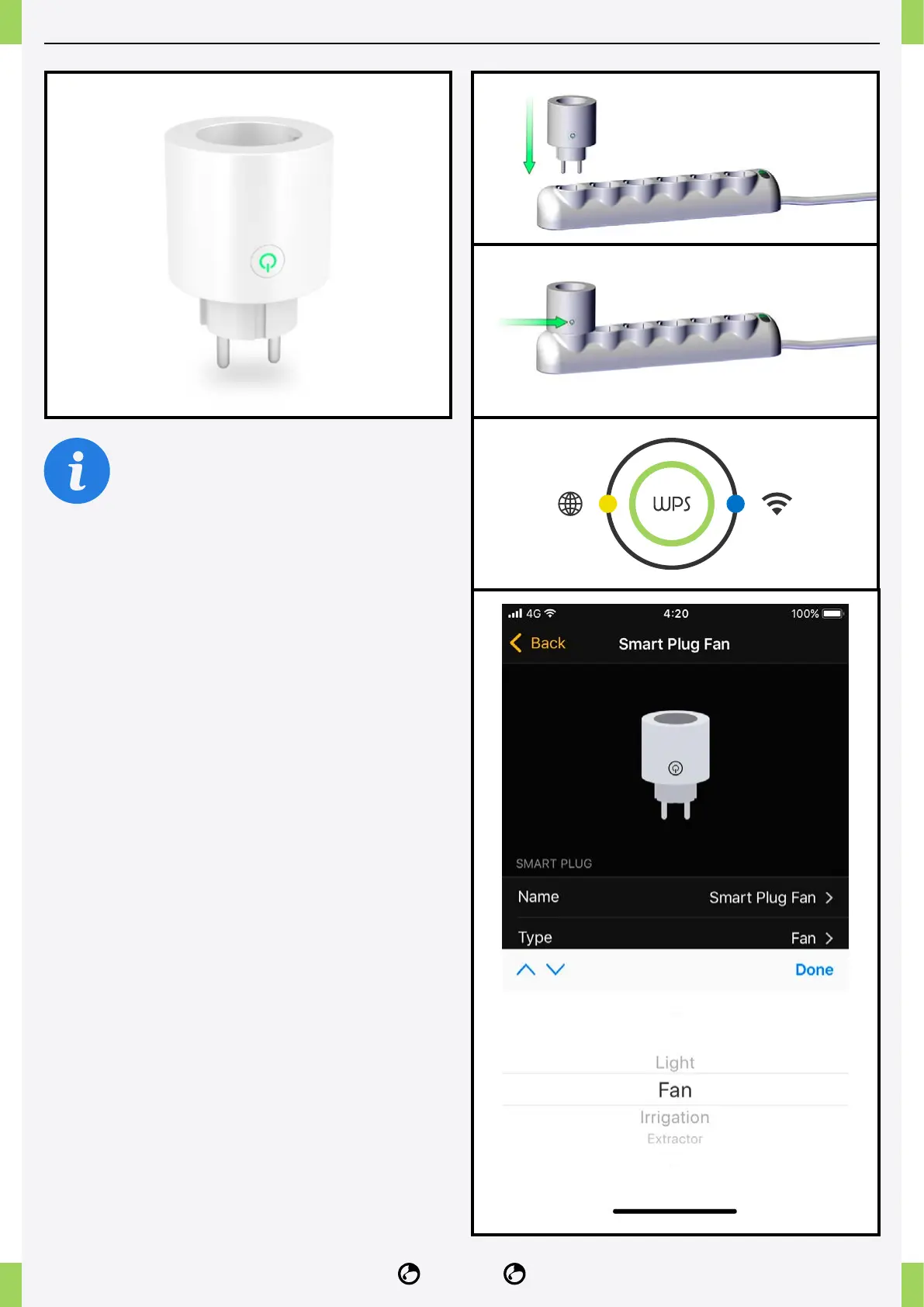
1� Connect the NIDO plug to the mains socket.
2� Press the button on the NIDO plug for 5 seconds,
wait until the light on the NIDO plug starts blinking.
3� Press the WPS button on the NIDO ONE V2 for
1-3 seconds until the Wi-Fi connection status light
turns yellow.
4� Open the NidoPro app and congure the type of
device connected to the NIDO plug (air extractors,
humidiers, dehumidiers, air heaters, irrigation and
lights).



 To Next Page