93
r
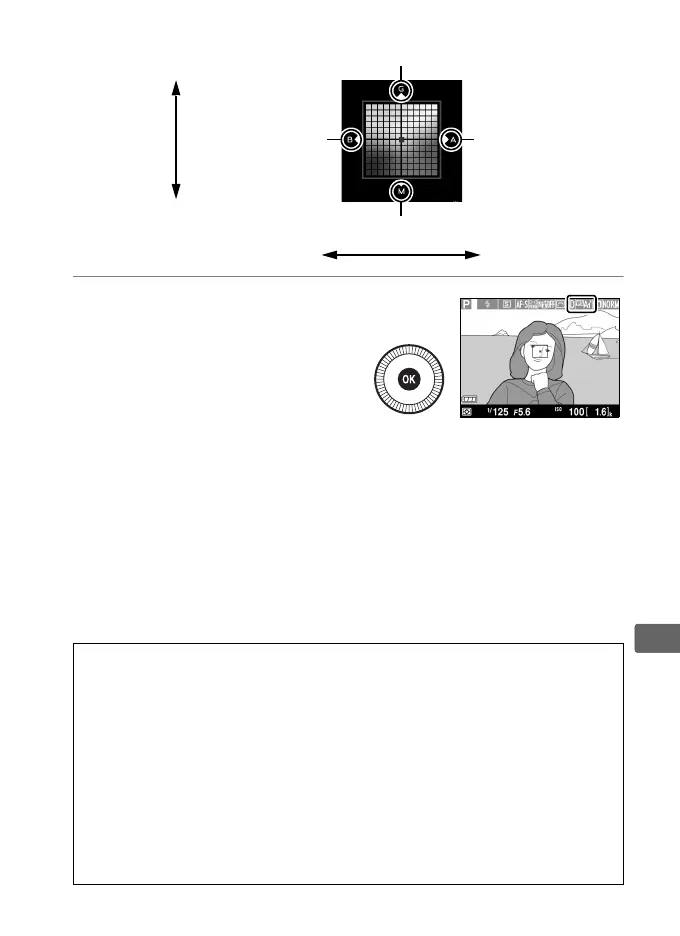
3 Press J.
Press J to save settings
and return to the shooting
menu. If white balance has
been fine-tuned, an
asterisk (“*”) will be
displayed in the monitor.
A White Balance Fine-Tuning
The colors on the fine-tuning axes are relative, not absolute.
For
example, moving the cursor to B (blue) when a “warm” setting such as J
(incandescent) is selected will make photographs slightly “colder” but
will not actually make them blue.
A See Also
When white balance bracketing is on, the camera will create several
images each time the shutter is released (0 123). White balance will be
varied with each image, “bracketing” the value currently selected for
white balance.
Increase green
Increase magenta
Increase blue Increase amber
Green (G)
Magenta (M)
Blue (B) Amber (A)



 To Next Page