148
I
Deleting Photographs
To delete the photograph displayed in full-frame playback or the
photograph highlighted in the thumbnail list, press the O button.
To delete multiple selected photographs, all photographs taken on
a selected date, or all photographs in the current playback folder,
use the Delete option in the playback menu.
Once deleted,
photographs can not be recovered.
Note that protected pictures
can not be deleted.
Full-Frame, Thumbnail, and Calendar
Playback
Press the O button to delete the current photograph.
1 Select an image.
Display the image or highlight it in the thumbnail list in
thumbnail or calendar playback.
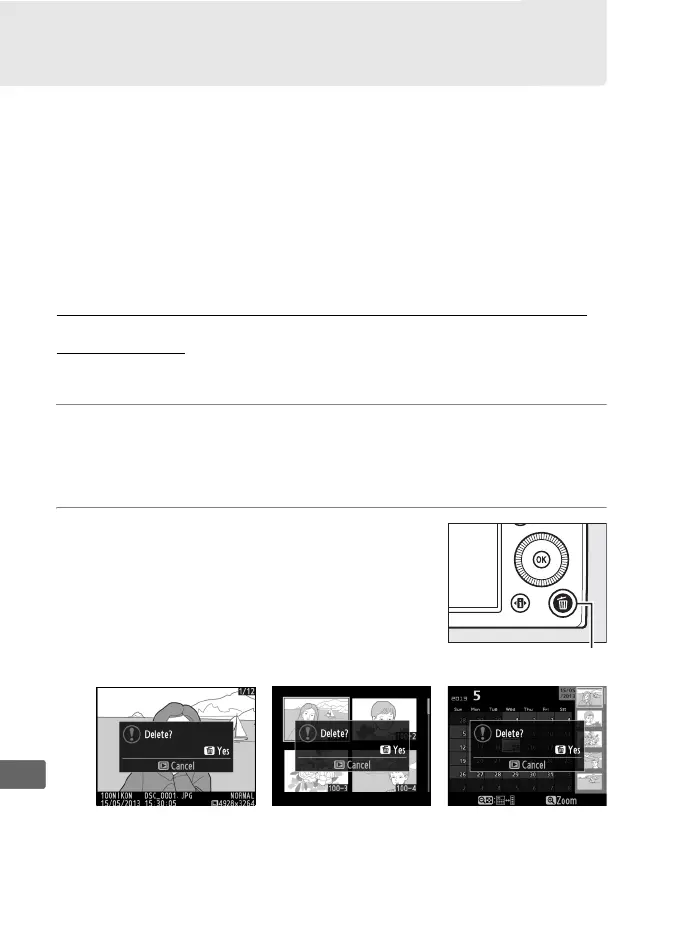
2 Press the O button.
A confirmation dialog will be displayed.
Full-frame playback Thumbnail playback Calendar playback
(thumbnail list)
O button



 To Next Page