l
112
l
Flash Photography
The camera supports a variety of flash modes for photographing
poorly lit or backlit subjects.
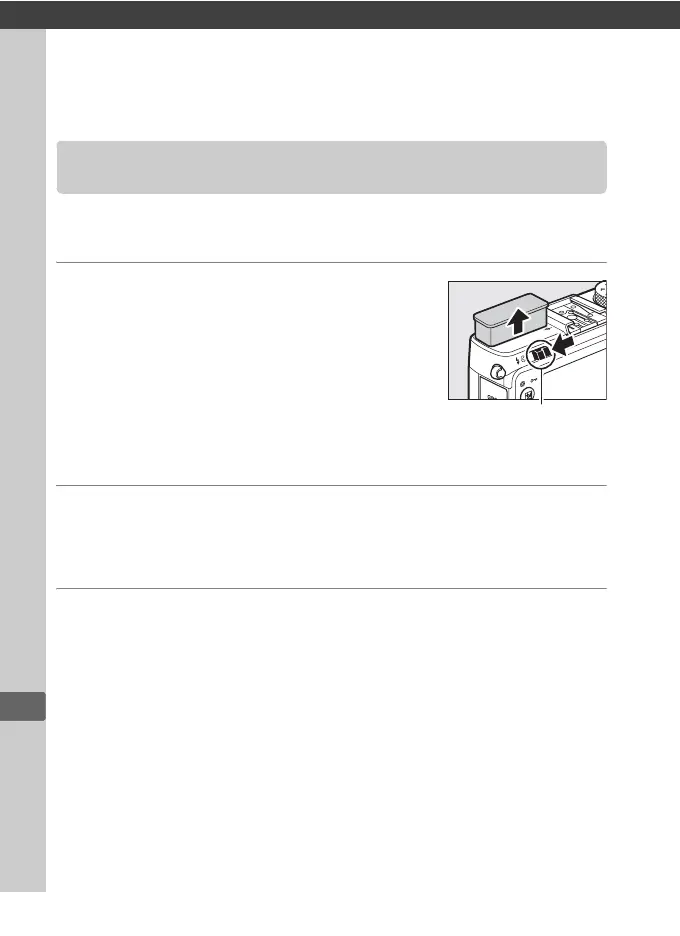
1 Raise the flash.
Slide the flash pop-up control to raise
the flash.
Charging begins when the
flash is raised; once charging is
complete, a flash-ready indicator (M) will
be displayed and the flash lamp will light
when the shutter-release button is
pressed halfway.
2 Choose a flash mode.
See page 113 for more information.
In 0 mode, flash mode is
fixed at M (fill flash) and the flash fires with every shot.
3 Take pictures.
In i, k, p, n, o, s, and w modes, the flash fires as required. To
turn the flash off, lower the flash or choose a flash mode of s.
In P, S, A, M, and 0 modes, the flash fires with every shot. Lower
the flash to prevent it firing.
Using the Built-in Flash
Flash pop-up control



 To Next Page
 Loading...









