222
U
My Menu
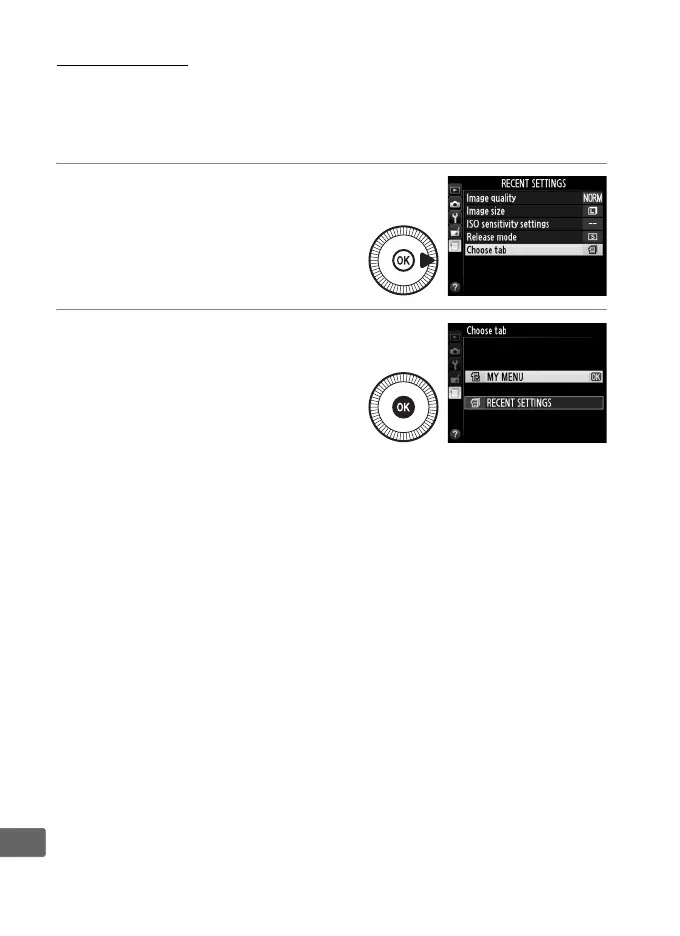
To access a customized menu of up to 20 options selected from the
playback, shooting, setup, and retouch menus, select O My Menu
for m Recent settings > Choose tab.
1 Select Choose tab.
In the recent settings menu
(m), highlight Choose tab and
press 2.
2 Select O My Menu.
Highlight O My Menu and
press J.
The name of the
menu will change from
“RECENT SETTINGS” to “MY
MENU.”
To view recent settings again, select m Recent settings for O My
Menu > Choose tab.



 To Next Page