95
r
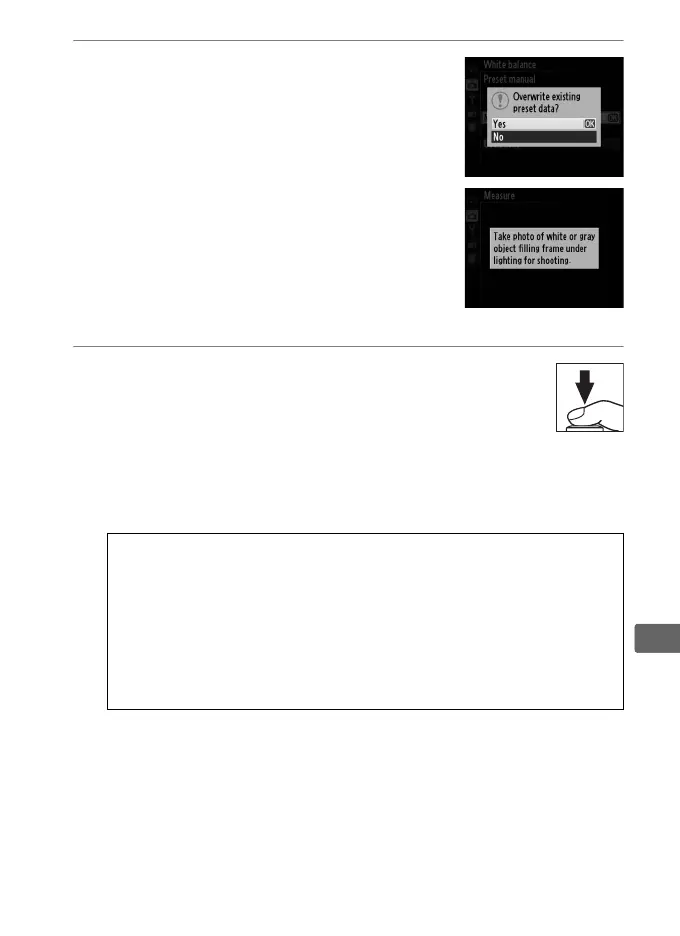
3 Select Measure.
Highlight Measure and press 2.
The
menu shown at right will be displayed;
highlight Ye s and press J.
The message shown at right will be
displayed before the camera enters
preset measurement mode.
When the camera is ready to measure
white balance, a flashing L will appear
in the monitor.
4 Measure white balance.
Before the indicator stops flashing,
frame the reference object so that it fills
the display and press the shutter-release
button all the way down.
No photograph will be recorded;
white balance can be measured accurately even when the
camera is not in focus.
D Preset White Balance
The camera can store only one value for preset white balance at a
time; the existing value will be replaced when a new value is
measured.
A Default Preset White Balance
The default value for preset white balance is 5200 K, the same as
Direct sunlight.



 To Next Page