4.
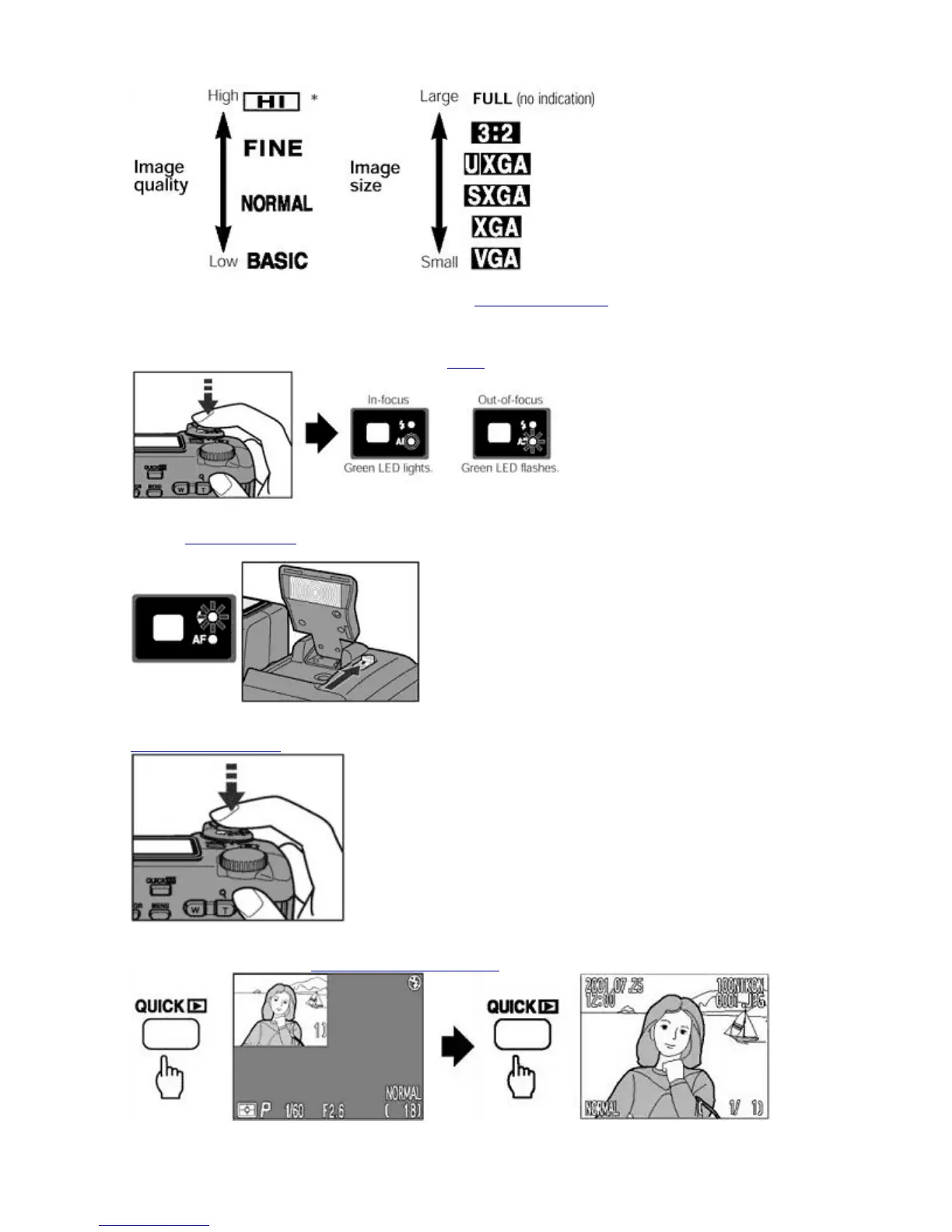
Center the subject in the Monitor or Viewfinder and
compose your picture
.
{
Use the Zoom buttons to frame your subject in the Monitor or Viewfinder.
{
The
W
button zooms the camera out, reducing magnification and increasing the field of view. The
T
button
zooms the camera in.
5.
Press the SHUTTER RELEASE button lightly to
focus
on the subject by using autofocus.
{
The Green LED lights when the subject is in focus and flashes rapidly when the camera cannot autofocus.
6.
Use the
built
-in Speedlight
if there is insufficient light to illuminate the subject. This condition is indicated by
the Red LED flashing rapidly when the SHUTTER RELEASE
button is half-pressed.
{
Slide the Speedlight lock-release lever to release the built-in Speedlight.
7. Slowly and fully depress
the
SHUTTER RELEASE
button to take the picture.
{
A single beep sound indicates that the shutter has been released.
8.
Press the QUICK
button to
check the picture immediately.
Pa
e 14 of 136
ikon COOLPIX995 Di
ital Camera
3/15/2002htt
://www.livemanuals.com/
acka
es/
roducts/NK002/2136/manual/fullmanual.html



 To Next Page