Thumbnail playback are possible.
Completing the full-screen review mode
z
The following operations end the Full-screen review mode and return the camera to Shooting mode.
{
Pressing the
QUICK
button
{
Lightly pressing the
SHUTTER RELEASE
button
{
Pressing the
MENU
button
{
Setting the
MODE
dial to another position
{
When the camera's power is turned off automatically by the Auto Power-off function
Viewing Additional Picture Information
Rotating the COMMAND
dial changes the display to the following five screens while a picture is displayed on the
Monitor in any Full-frame playback mode.
1. Basic display
2. Detailed information display 1
3. Detailed information display 2
4. Histogram display
5. Focus confirmation display
{
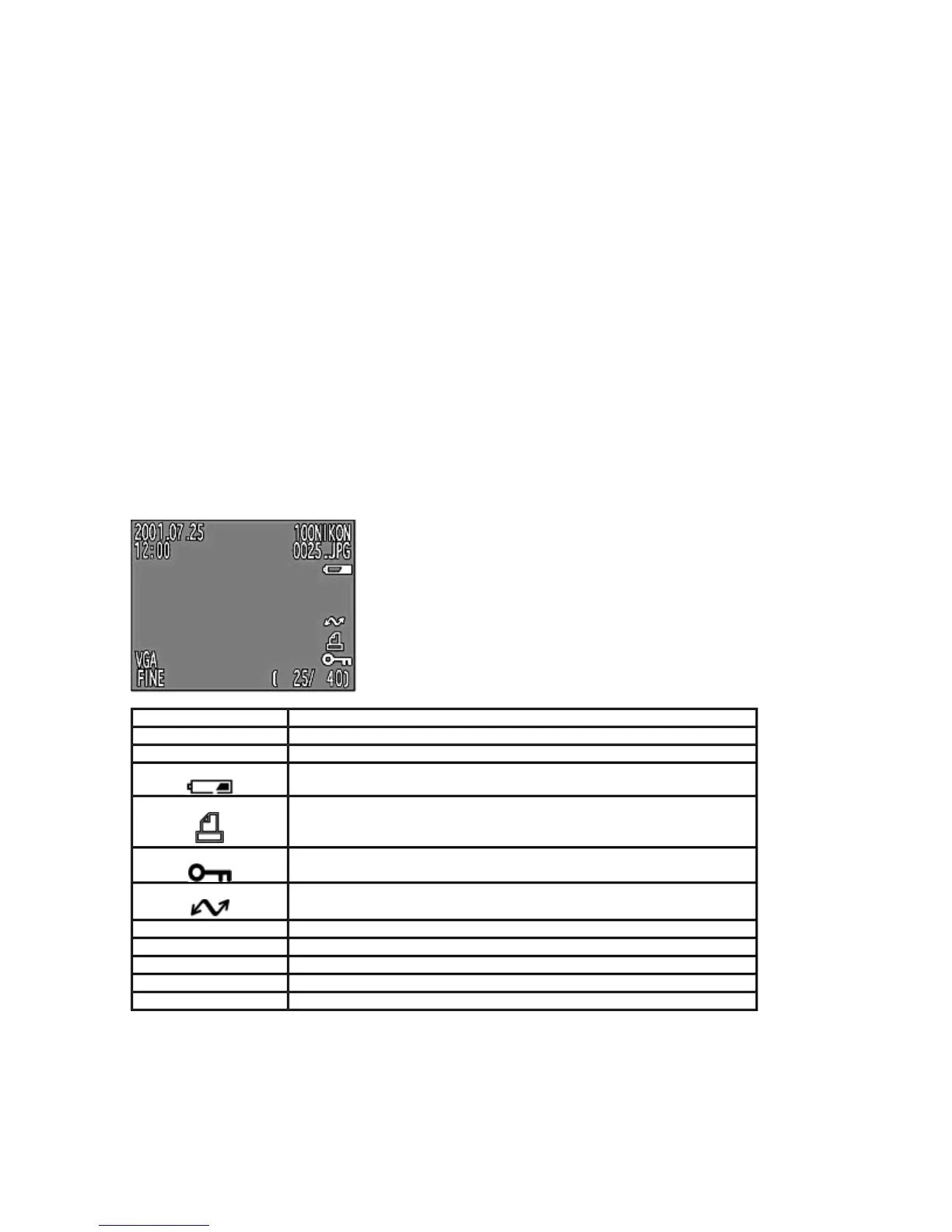
The contents of the image information displayed are as follows.
1.
Basic display screen
2.
Detailed information dis
la
1
Dis
la
Descri
tion
100 Nikon Folder name
0025.gif File number (the last 4 numbers and file type)
Battery indication (displayed only when battery power is insufficient)
Print-order selection icon (displayed on the print-ordered image)
Protect icon (displayed on the protected image)
uto transfer icon (displayed on the image in the Auto transfer setting)
25/40 Frame number/total number of frames visible in current folder
2001. 07. 25 Date when the picture was taken
12:00 Time when the picture was taken
VGA Image size (UXGA, SXGA, XGA, VGA, 3:2, QVGA)
FINE Image quality (HI, FINE, NORMAL, BASIC)
Pa
e 66 of 136
ikon COOLPIX995 Di
ital Camera
3/15/2002htt
://www.livemanuals.com/
acka
es/
roducts/NK002/2136/manual/fullmanual.html



 To Next Page