NOTE :
Using built-in Speedlight
Note that the built-in Speedlight may become warm during extended Speedlight use.
5.
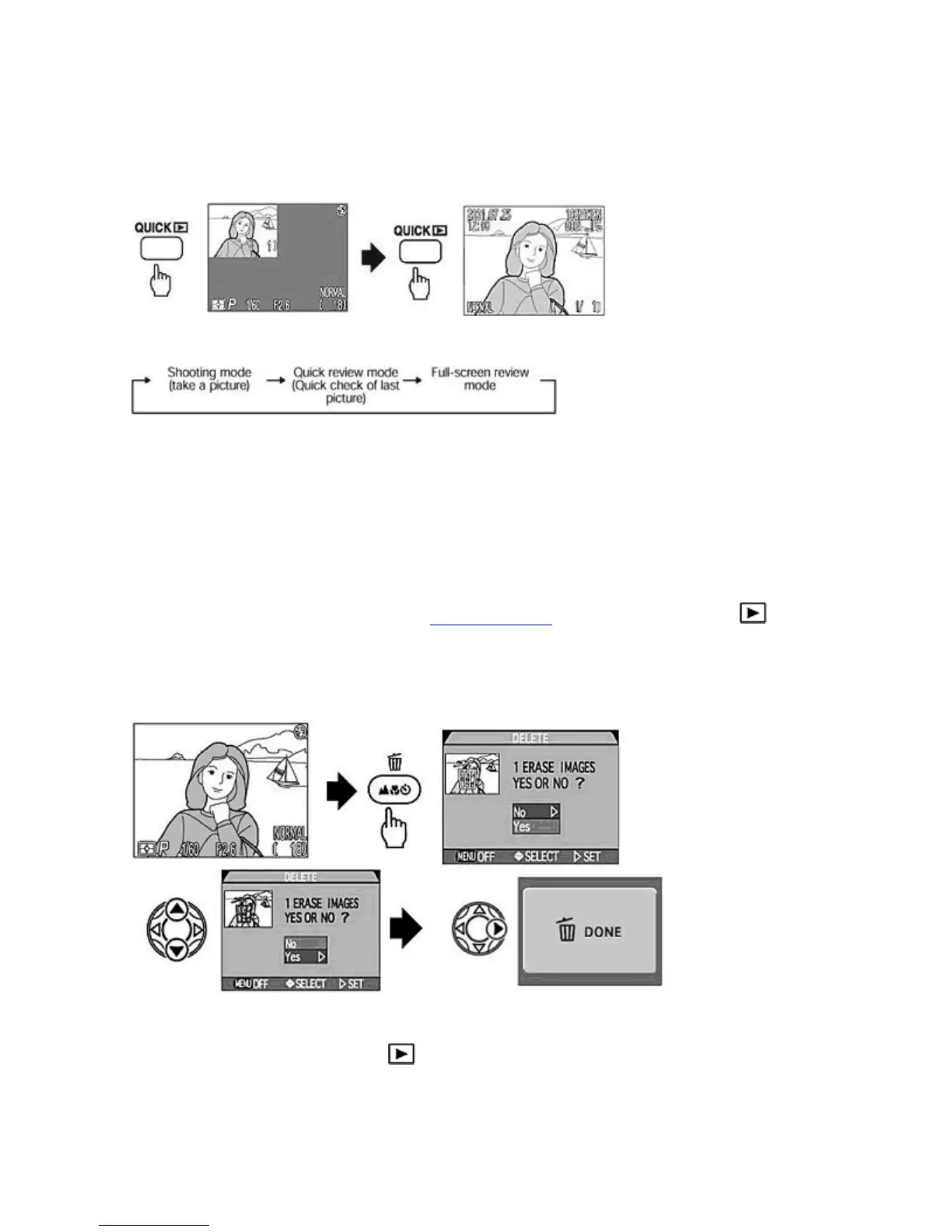
Press the QUICK
button to check the image immediately after shooting
{
Each press of the
QUICK
button changes the display on the Monitor as follows:
{
Press the Multi selector to choose the image to be displayed. To display the previous image frame continue to
press
LEFT
/
UP
.
When the oldest frame is reached, pressing
LEFT
/
UP
changes the display to the most recent frame recorded.
When the most recent frame is reached, pressing
DOWN
/
RIGHT
changes the display to the oldest one.
Check points:
{
Lightly pressing the
SHUTTER RELEASE
button in either Quick review or Full-screen review resets the
camera to normal Shooting mode and more shots can be taken.
{
Recorded images can be played back in Full-frame playback by rotating the
MODE
dial to .
6.
Press the DELETE
button in Full-screen review mode and select "Yes" with the Multi selector to delete a single
image.
{
Using the Multi selector choose the image to be deleted. Pressing the
DELETE
button displays a confirmation
dialog. Select
Yes
with the Multi selector. Pressing
RIGHT
deletes the image and
DONE
is displayed.
Check point:
Recorded images can also be deleted in mode
7.
Set the MODE
dial to when you have finished taking photographs.
Pa
e 41 of 136
ikon COOLPIX995 Di
ital Camera
3/15/2002htt
://www.livemanuals.com/
acka
es/
roducts/NK002/2136/manual/fullmanual.html



 To Next Page