{
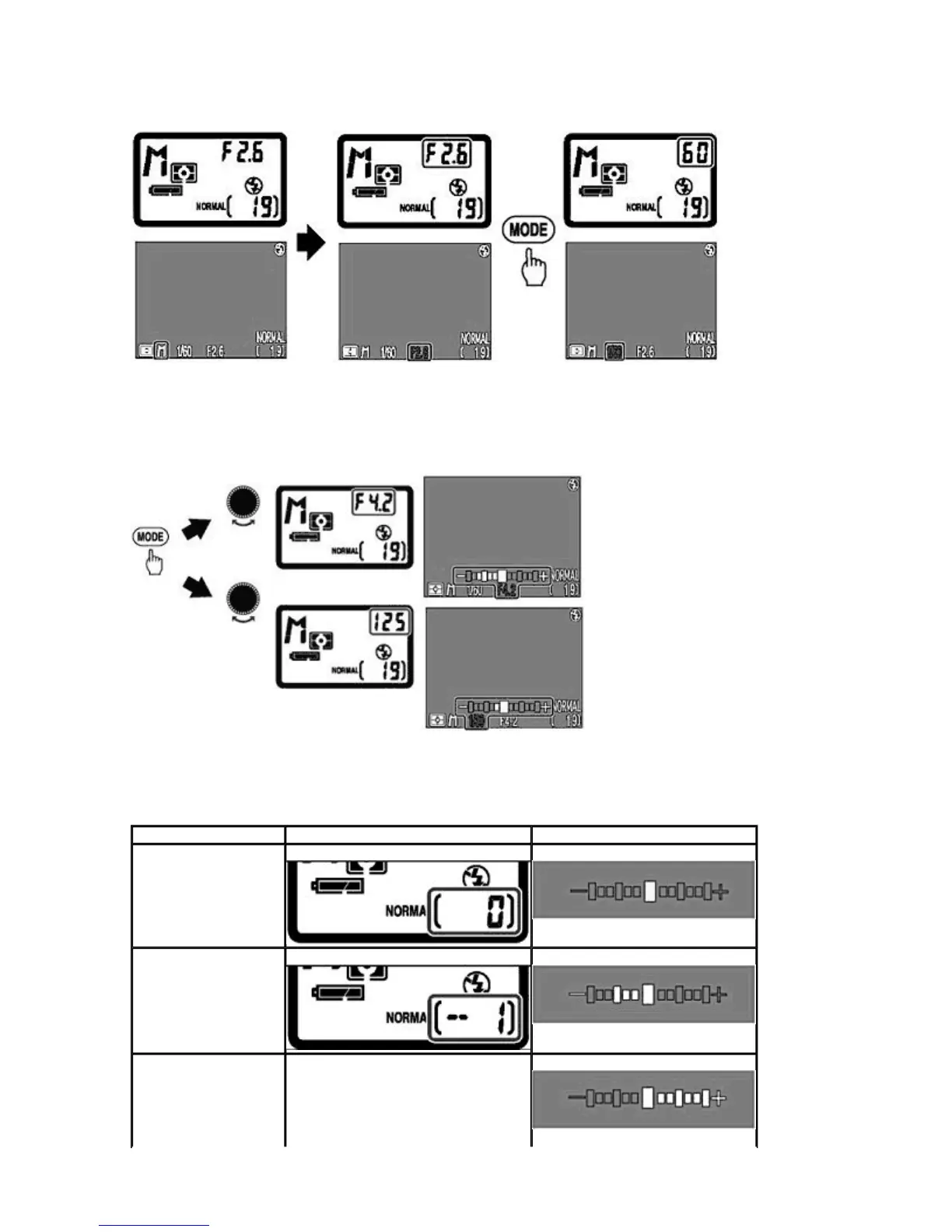
The aperture and shutter speed are highlighted in green in the Monitor.
2.
Confirm the Exposure condition in the Control panel or Exposure meter display in the Monitor and set the
aperture and shutter speed by rotating the COMMAND
dial.
{
The difference between the selected exposure and the exposure measured by the camera is displayed in the
Exposure condition and the Exposure meter display (except in long time exposure).
Check point
If the shutter speed is displayed in red when 1/2000 sec. shutter speed is selected, stop-down aperture while
confirming exposure on the Exposure meter in the Monitor.
Ex
osure status Conrol
anel Monitor
Correct exposure
1 EV under
2 EV over
Pa
e 52 of 136
ikon COOLPIX995 Di
ital Camera
3/15/2002htt
://www.livemanuals.com/
acka
es/
roducts/NK002/2136/manual/fullmanual.html



 To Next Page