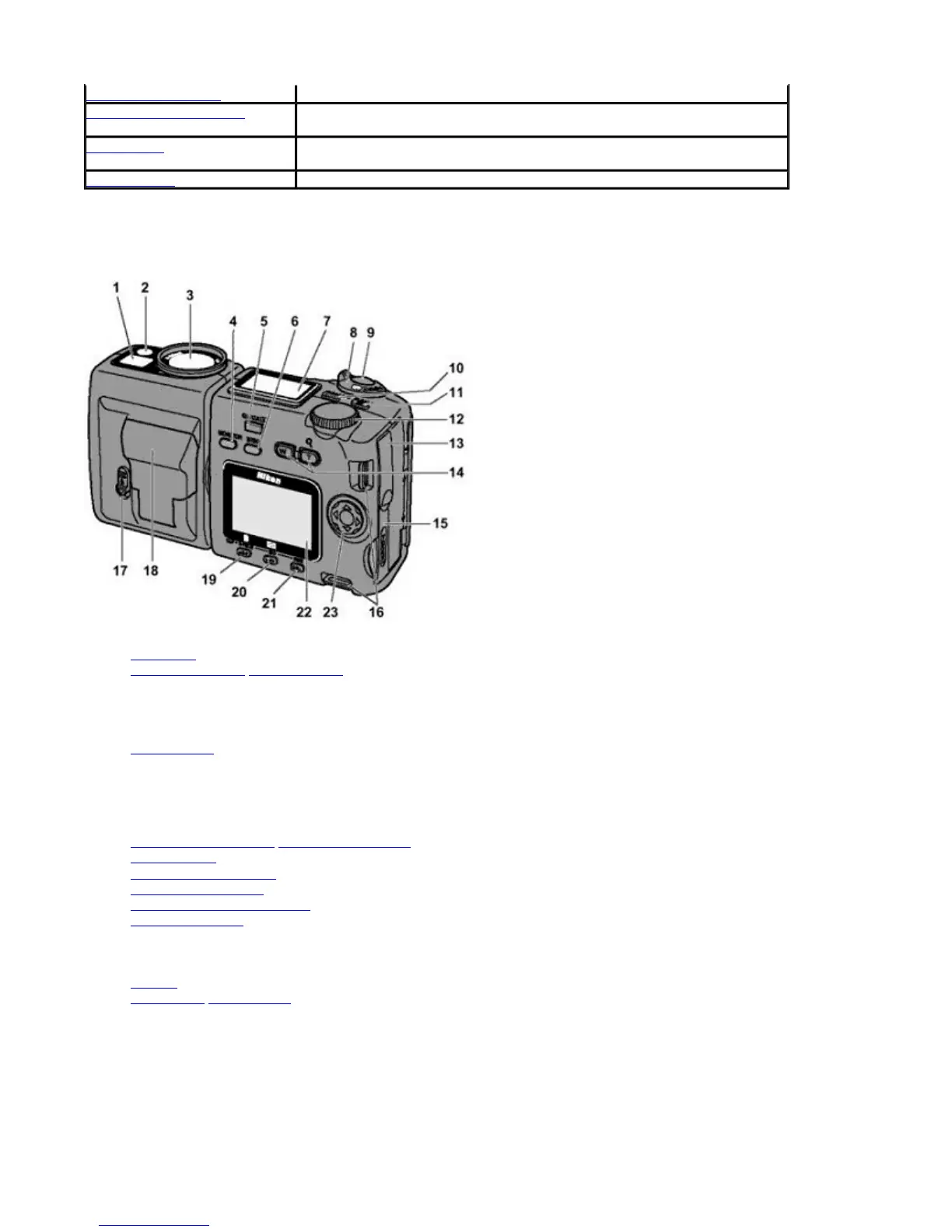
Nomenclature
1. Viewfinder
2. Red-eye reduction/Self-timer lamp
3. Lens
4.
MONITOR
button
5.
QUICK
review button
6.
MENU
button
7. Control panel
8.
MODE
dial
9.
SHUTTER RELEASE
button
10.
MODE/FUNC
(function) 1 button
11.
EXPOSURE COMPENSATION
/
FUNC
(function) 2 button
12.
COMMAND
dial
13. Video output connector
/USB connector cover
14. Zoom buttons
15. Memory card slot cover
16. Camera strap eyelets
17. Speedlight lock
-release lever
18. Built-in Speedlight
19.
FOCUS MODE
/
MANUAL FOCUS
/
DELETE
button)
20.
FLASH MODE
/
SENSITIVITY
/
THUMBNAIL
button
21.
IMAGE QUALITY
/
IMAGE SIZE
button
22. Monitor
23. Focus area /Multi selector
Inside memory card slot cover
dvanced Operations This section provides complete descriptions of advanced camera operations.
Using the Camera Menus This section gives detailed explanations of menu items in the Shooting and
Playback modes.
Connections This section describes connection to external devices such as TV sets or
personal computers.
Miscellaneous This section covers optional accessories, trouble-shooting and specifications.
Pa
e 7 of 136
ikon COOLPIX995 Di
ital Camera
3/15/2002htt
://www.livemanuals.com/
acka
es/
roducts/NK002/2136/manual/fullmanual.html



 To Next Page