z
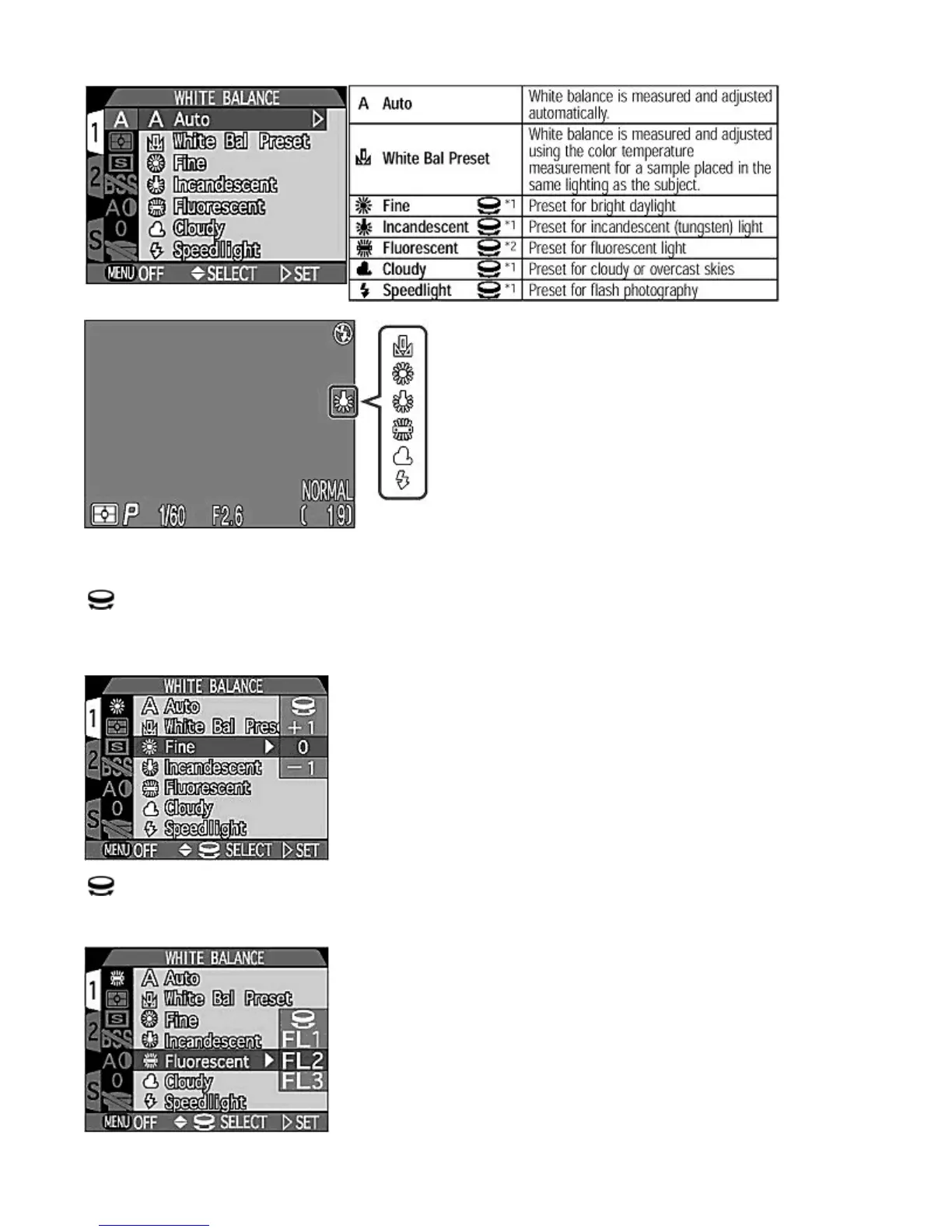
The
White Balance
icon is displayed on the Monitor when a White Balance setting other than Auto is selected.
*1 You can make additional fine adjustments to the
White Balance through
a range of -3 to +3 (in single steps) by
rotating the
COMMAND
dial. A negative adjustment tends to make the image reddish while a positive adjustment tends to
make the image bluish. Press
RIGHT
on the Multi selector to set the adjustment.
*2 You can select
FL1
,
FL2
or
FL3
for different types of fluorescent light, such as warm daylight, neutral etc., by
rotating the
COMMAND
dial.
Pa
e 73 of 136
ikon COOLPIX995 Di
ital Camera
3/15/2002htt
://www.livemanuals.com/
acka
es/
roducts/NK002/2136/manual/fullmanual.html



 To Next Page