z
The
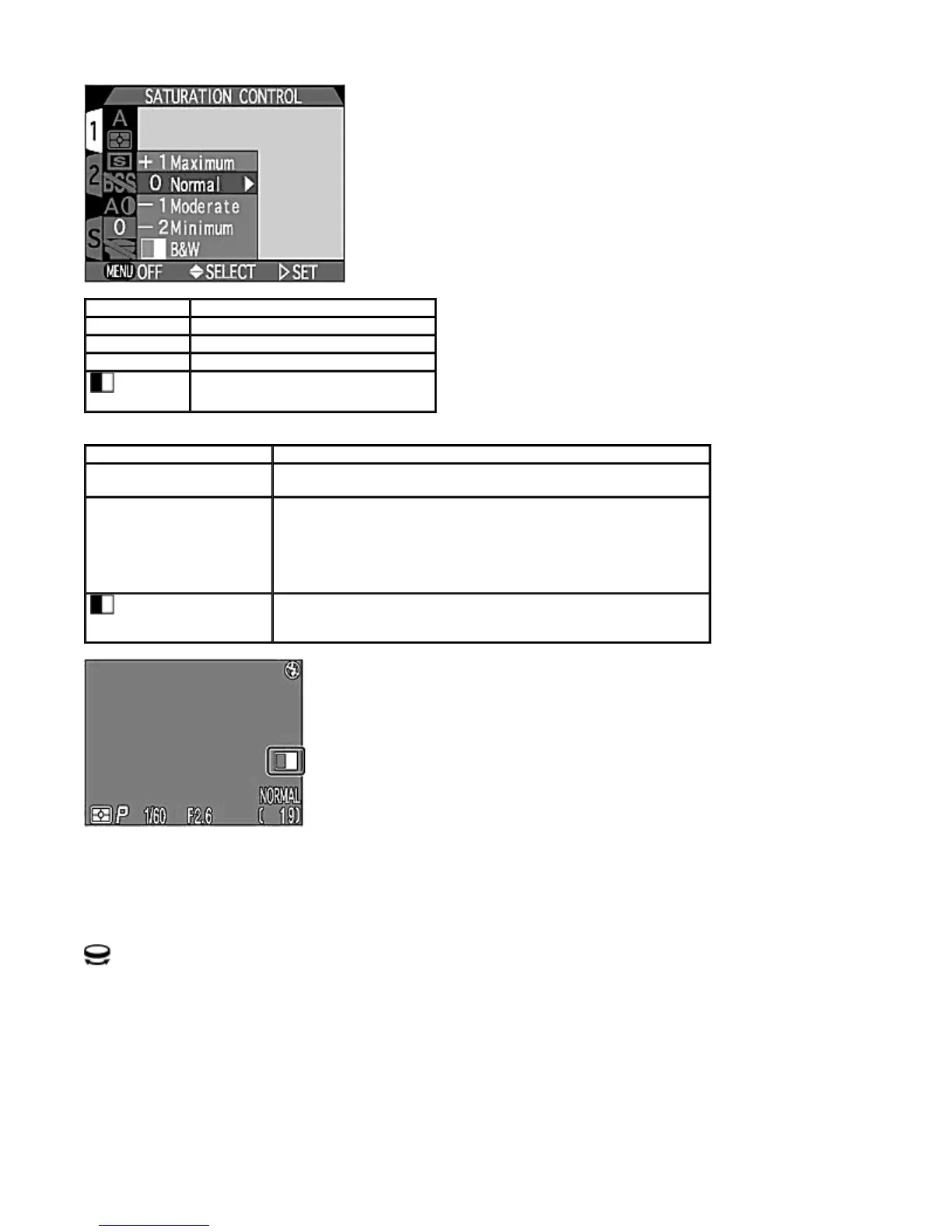
B&W
(black-and-white) indication is displayed on the Monitor when
B&W
is selected.
Lens
Optional lens converters for wideangle, telephoto and fisheye photography can be used with the COOLPIX995. A Slide
Copy Adapter is also available. Each of these converter is adapted to a particular combination of settings, such as the Focus
mode, Zoom position and Metering method.
+1 Maximum
Sets the saturation level to +1.
0 Normal
Sets the saturation level to normal.
-1 Moderate
Sets the saturation level to -1.
-2 Minimum
Sets the saturation level to -2.
B&W
Sets image to black-and-white.
O
tion Descri
tion
+1 Maximum
Increases the color saturation of the image. Suitable for direct printing
where a photo-print effect is required.
0 Normal
-1 Moderate
-2 Minimum
Sets the saturation control level to normal. Saturation can be
decreased to normal to -1 (moderate) or -2 (minimum). Suitable for
images intended for subsequent retouching or manipulation on a
computer.
B&W
Images are recorded as monochrome data and the display on the
Monitor also changes to black-and-white. The size of the image file is
the same as for the color image but the resolution is higher.
Pa
e 81 of 136
ikon COOLPIX995 Di
ital Camera
3/15/2002htt
://www.livemanuals.com/
acka
es/
roducts/NK002/2136/manual/fullmanual.html



 To Next Page