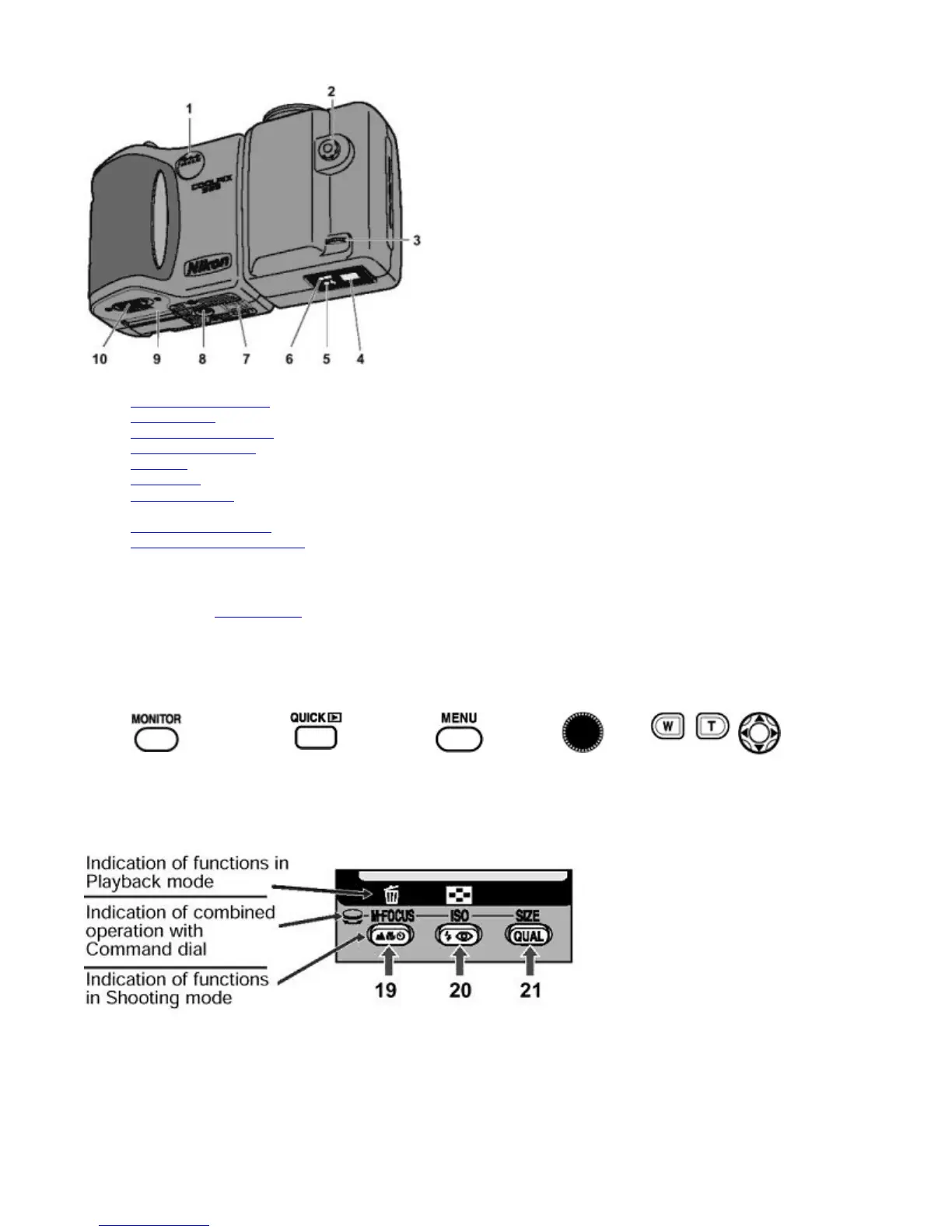
1. DC-in connector cover
2. Sync terminal
3. Diopter adjustment dial
4. Viewfinder eyepiece
5. Red LED
6. Green LED
7. Swivel lock lever
8. Tripod socket
9. Battery chamber cover
10. Battery chamber cover latch
The following buttons have different functions in different modes:
Refer to the figure in Nomenclature
for the location of each button.
z
Functions of buttons 19, 20 and 21 differ in Shooting mode and Playback mode; these buttons are indicated as follows
in this manual.
4 5 6 12 14 23
MONITOR
button
QUICK
review button
MENU
button
COMMAND
Dial
Zoom
buttons
Multi
selector
Pa
e 9 of 136
ikon COOLPIX995 Di
ital Camera
3/15/2002htt
://www.livemanuals.com/
acka
es/
roducts/NK002/2136/manual/fullmanual.html



 To Next Page