3.
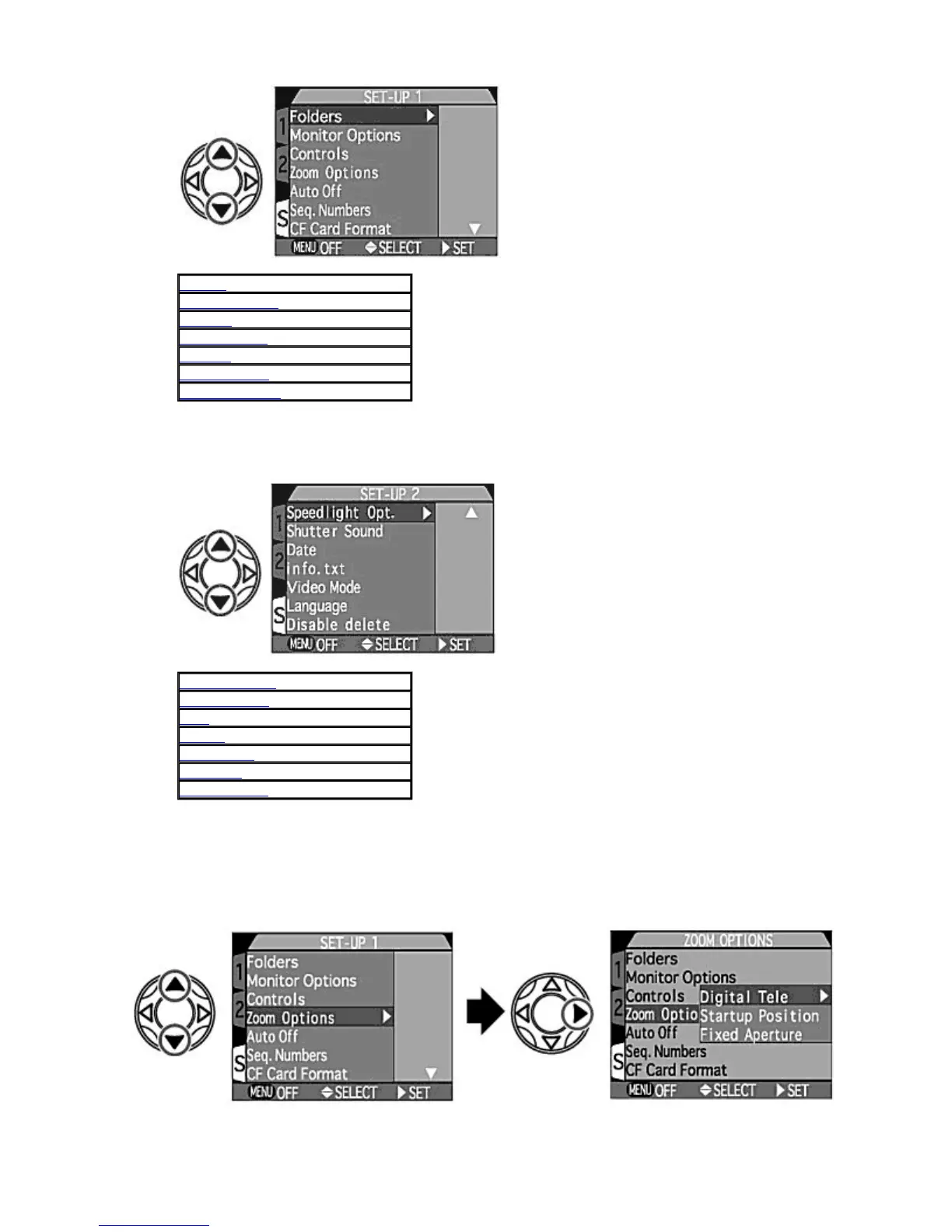
Press UP
/
DOWN
to display SET-UP 2 at the top of the screen.
{
The 14 SET-UP items are divided into two displays. Press
UP
/
DOWN
on the Multi selector to move the cursor
and display
SETUP 2
.
Choosing from the SET-UP menus (example: zoom options)
1.
Select the SET-UP menu item.
{
Press
UP
/
DOWN
on the Multi selector to highlight the desired item and press
RIGHT
to display options for the
selected item.
2.
Select the o
tion for the selected item.
Folders
Monitor Options
Controls
Zoom Options
uto Off
Seq. Numbers
CF Card Format
Speedlight Opt.
Shutter Sound
Date
info. txt
Video Mode
Language
Disable delete
Pa
e 95 of 136
ikon COOLPIX995 Di
ital Camera
3/15/2002htt
://www.livemanuals.com/
acka
es/
roducts/NK002/2136/manual/fullmanual.html



 To Next Page