102 P, S, A, and M Modes
A The Shooting Menu
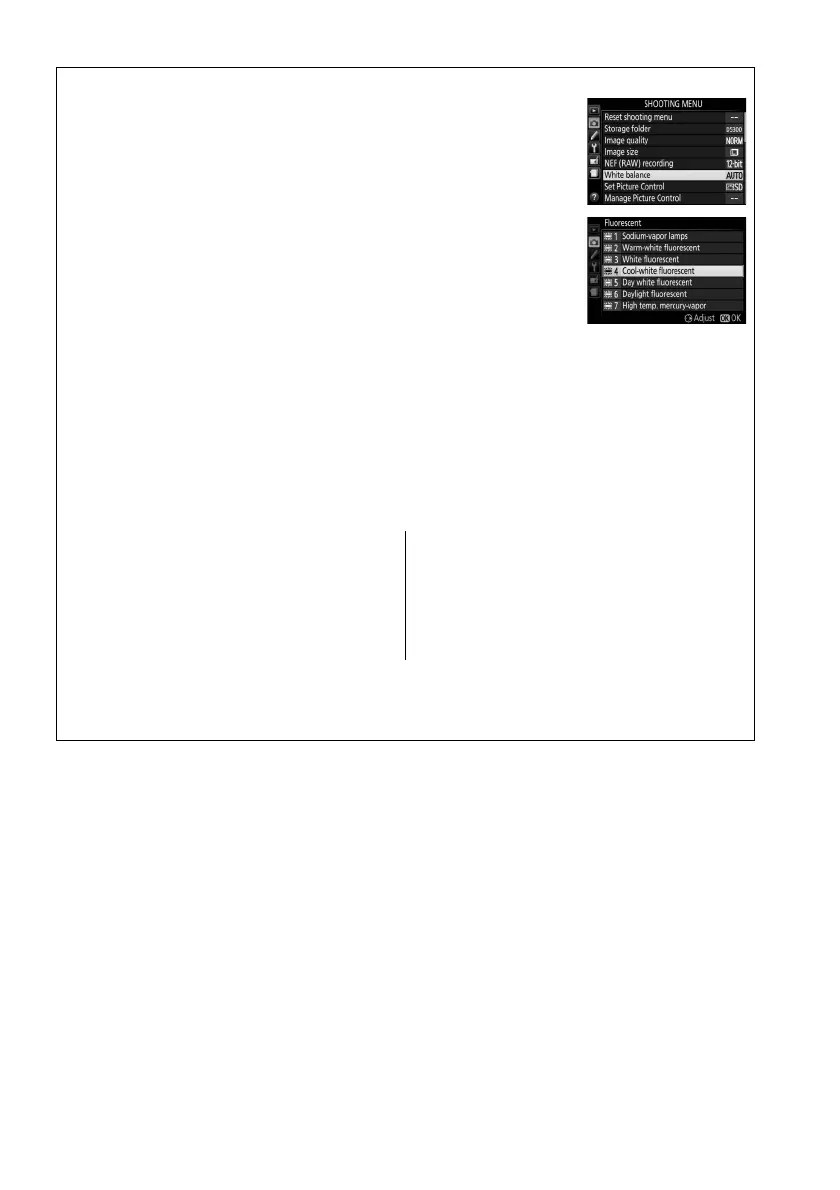
White balance can be selected using the White balance option in
the shooting menu (0 177), which also can be used to fine-tune
white balance (0 103) or measure a value for preset white balance
(0 104).
The I Fluorescent option in the White balance menu can be used
to select the light source from the bulb types shown at right.
A Color Temperature
The perceived color of a light source varies with the viewer and other conditions.
Color
temperature is an objective measure of the color of a light source, defined with reference to
the temperature to which an object would have to be heated to radiate light in the same
wavelengths.
While light sources with a color temperature in the neighborhood of 5000–
5500 K appear white, light sources with a lower color temperature, such as incandescent
light bulbs, appear slightly yellow or red.
Light sources with a higher color temperature
appear tinged with blue.
The camera white balance options are adapted to the following
color temperatures (all figures are approximate):
• I (sodium-vapor lamps): 2700 K
• J (incandescent)/
I (warm-white fluorescent): 3000 K
• I (white fluorescent): 3700 K
• I (cool-white fluorescent): 4200 K
• I (day white fluorescent): 5000 K
• H (direct sunlight): 5200 K
• N (flash): 5400 K
• G (cloudy): 6000 K
• I (daylight fluorescent): 6500 K
• I (high temp. mercury-vapor): 7200 K
• M (shade): 8000 K
A Bracketing
For information on automatically varying white balance settings over a series of shots, see
page 108.



 To Next Page
 Loading...













